Say hello to our new Assistive Translation feature!
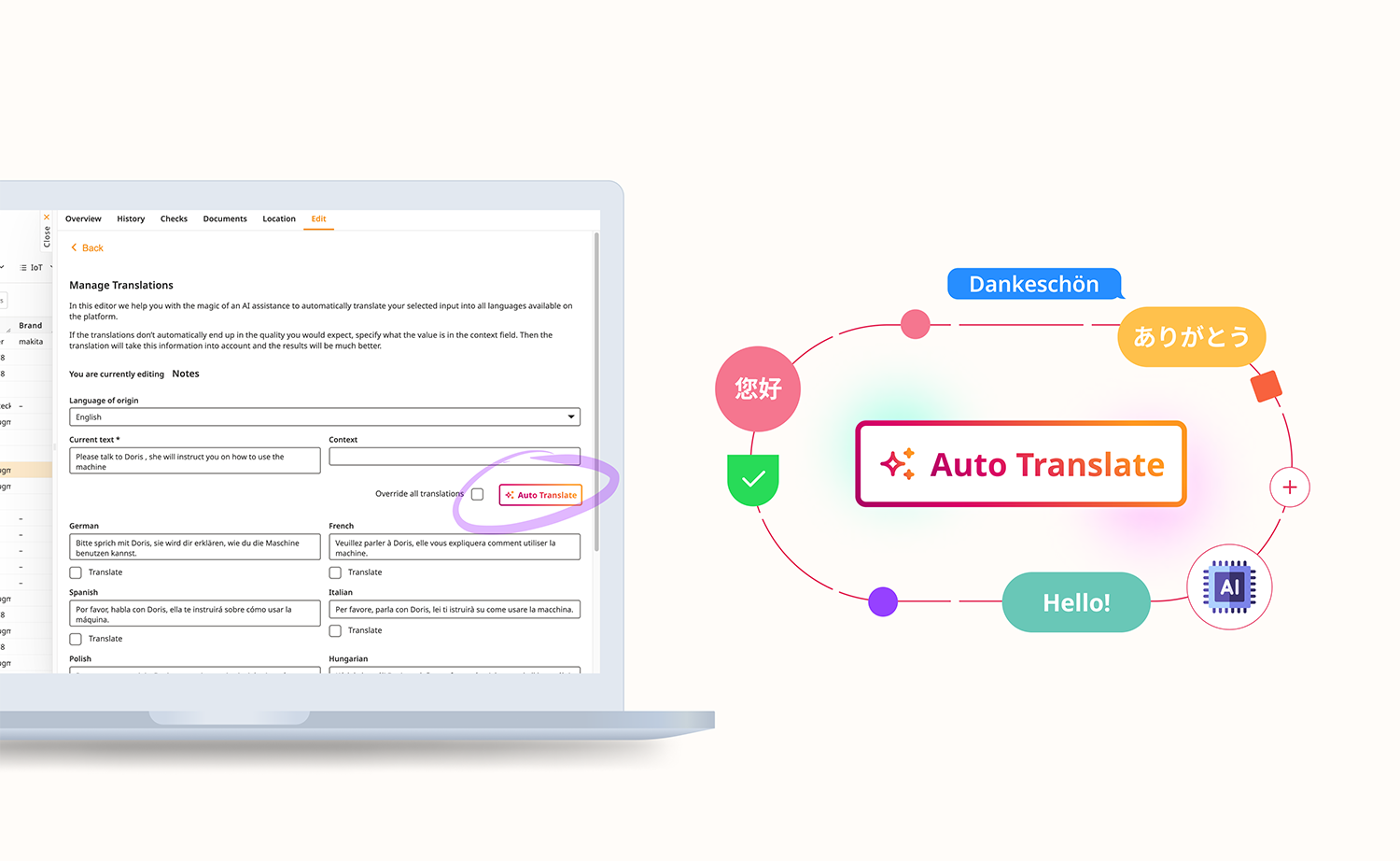
We know that managing translations for multiple languages can be a huge task, so we’re making it easier. Now, when you need to translate text fields across different languages, you can use the built-in Auto Translate button to speed things up.
Option 1 - Quick Translate ✨
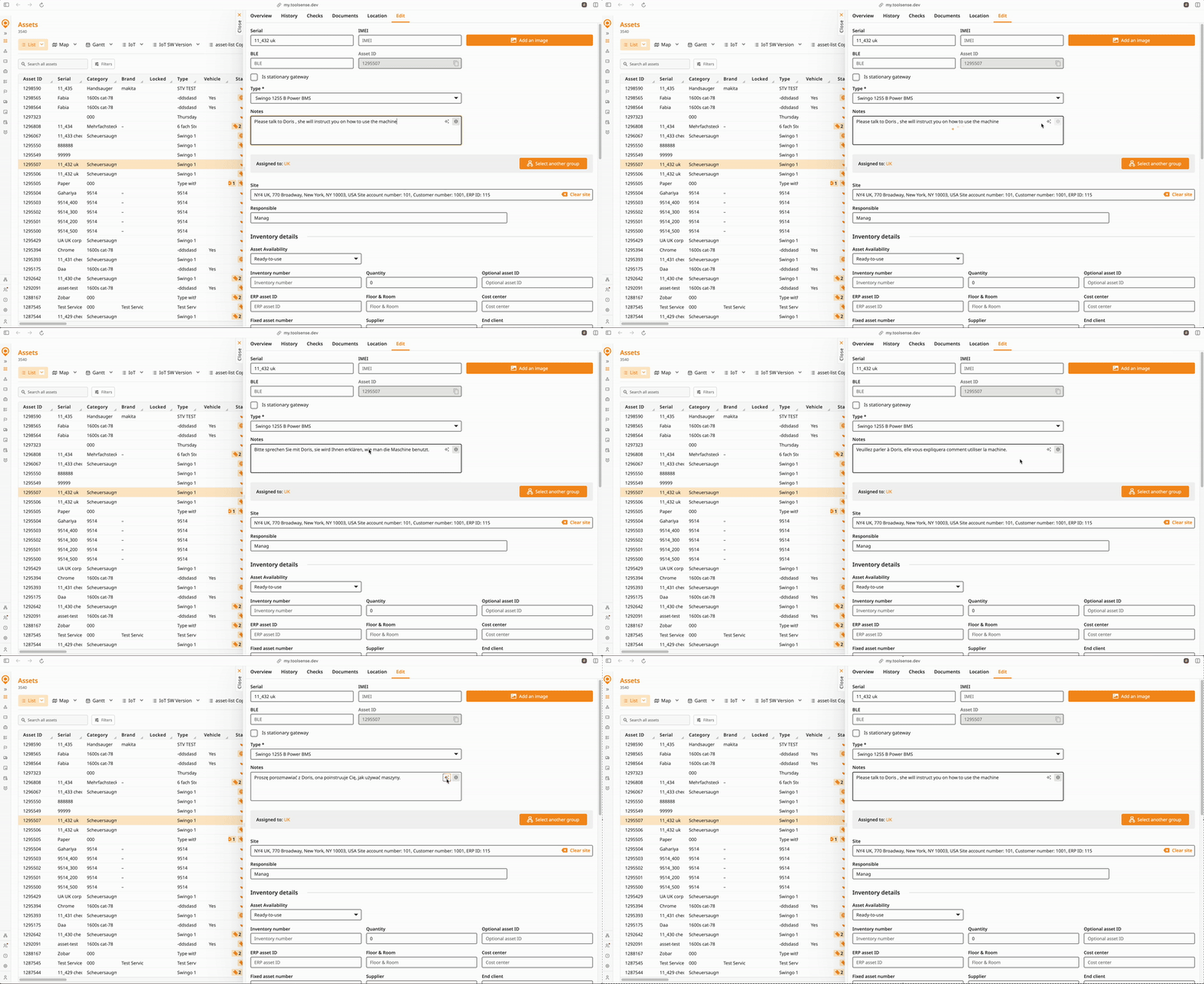
Simply click the translate icon on the input field and this will translate your text to all your languages automatically! It’s as simple as that 😉
📹 Watch the 22-second video here
Option 2 - Super Translate 💪
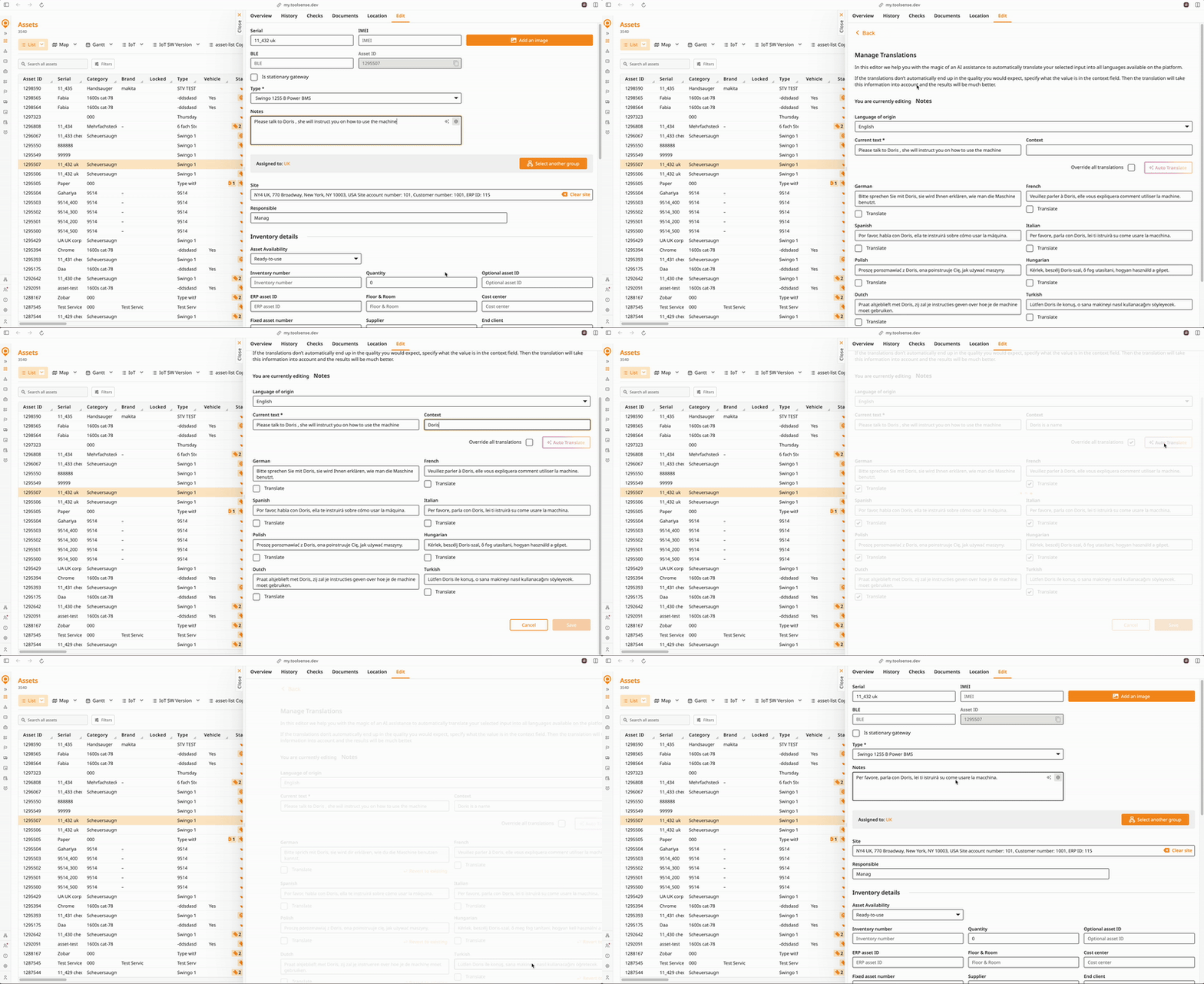
If you want to be more granular with your translation, for example add context to the translation, simply click on the globe icon, select ‘Manage all’, pick your source language, add context if needed, and hit Translate. You’ll get automatic translations, which you can tweak or approve as needed—all within a simple, user-friendly interface.
Plus, there’s an option to override existing translations, giving you full control over the process.
📹 Watch the 34-second video here
With this new feature, keeping your platform multilingual-friendly has never been simpler!
💡Don’t forget to hit ‘Save’ button at the bottom of the page to apply your translations!
