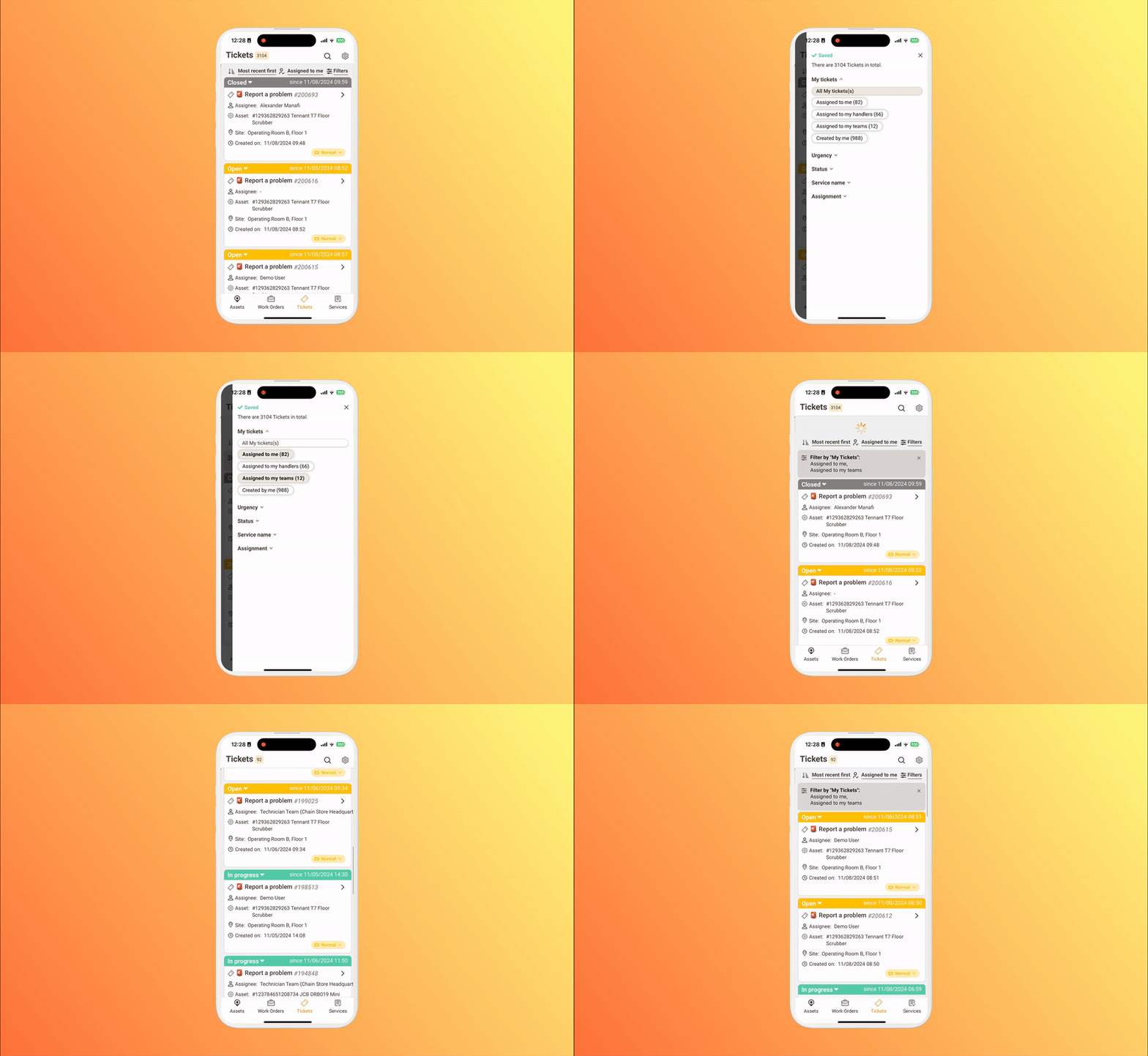
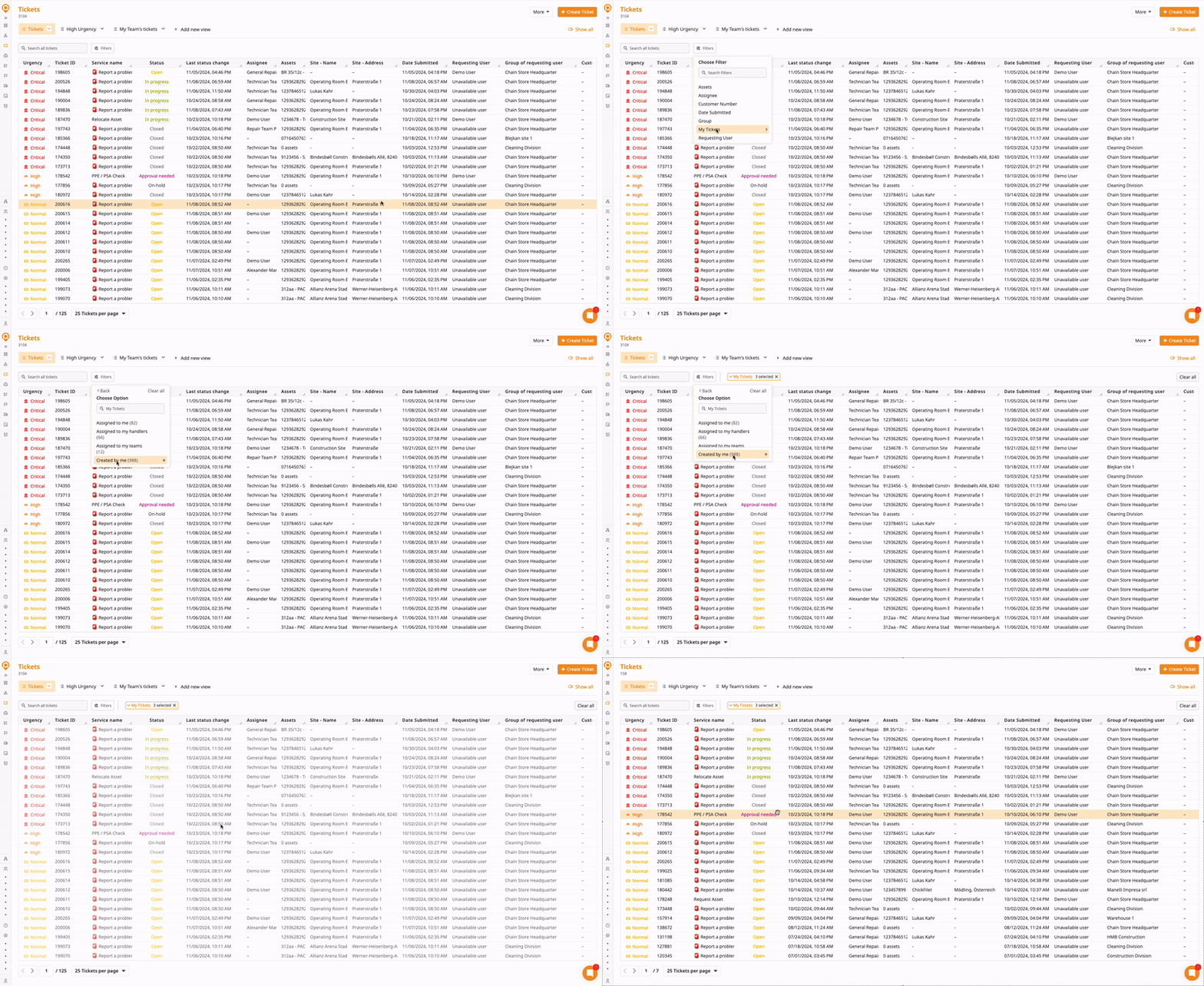
Our “My Tickets” feature streamlines your daily operations by letting you quickly filter for your team’s tickets by assignment.
You can use the My Tickets filter on both ToolSense Web and Mobile.
Navigate to Your Ticket View
Open the ticket view in your ToolSense web or mobile app.
Click on Filter
Choose My Tickets from the dropdown menu.
Select Your Desired Option
Choose from the following filters:
Assigned to Me: View tickets directly assigned to you.
Created by Me: Access tickets you’ve created.
Assigned to My Team: Display tickets assigned to any team you’re part of.
Assigned to My Ticket Handler: See tickets linked to your ticket handler group.