ToolSense enables you to interact with tickets directly via email, ensuring that responses and updates are logged automatically in the ticket history. Here’s how you can efficiently use email to manage your tickets:
To respond to a ticket:
Use the regular "Reply" function in your email program to reply to the ticket email you received.
Your response will automatically be added as a comment in the ticket.
Any attachments included in your email (e.g., PDFs) will also be added to the ticket.
You can change the status of a ticket directly through your email response by including one of the following commands in your reply:
/inprogress – Mark the ticket as "In Progress."
/close – Close the ticket.
/reject – Reject the ticket.
/hold – Put the ticket on hold.
/requestinformation – Request more information.
/requestapproval – Request approval for the ticket.
/open – Reopen the ticket.
Include the command in the body of your email, and the system will update the ticket status accordingly.
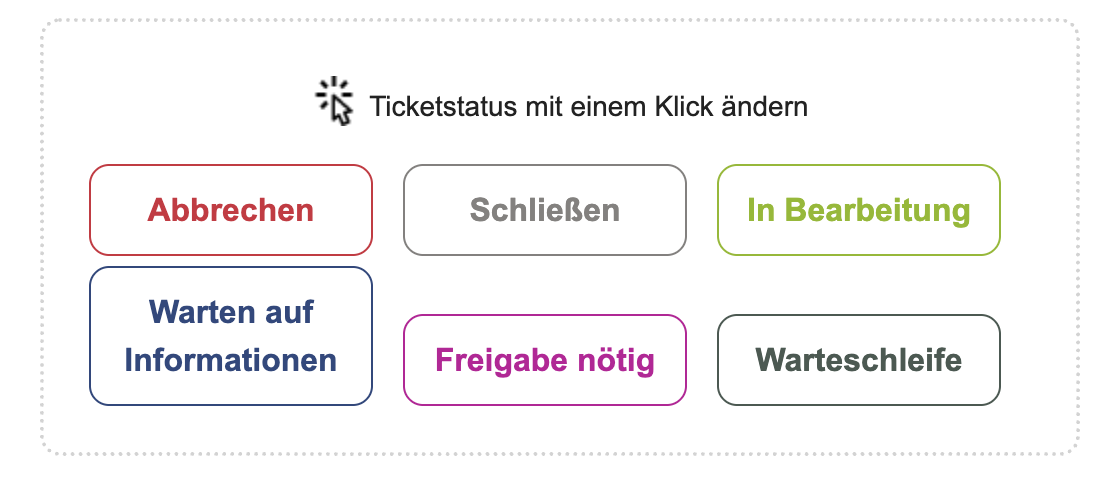
ToolSense also includes quick action buttons within ticket emails to make updates even faster:
Simply click on a button corresponding to the action you want to take (e.g., "In Progress," "Close," "Request Information").
You will be forwarded to the ticket page, where you can leave a comment and confirm the update to the ticket.
This feature is ideal for quickly changing the ticket status without composing an email response.
If you want to address a specific issue related to a ticket:
Send an email to ticket@action.toolsense.io.
Make sure to include the ticket tag (e.g., ticket-xxxxxxxx-xxxx-xxxx-xxxx-xxxxxxxxxxxx) in the text of your email to associate your message with the correct ticket.
To prevent your email signature from being added as a comment in the ticket:
Start your email signature with -- (two dashes). Anything after this marker will be excluded from the ticket comment.
By following these guidelines, you can efficiently manage and update tickets via email, ensuring that all relevant information is accurately logged in ToolSense.

