A Team in ToolSense is a group of users (via user accounts or email addresses) who collaborate on tasks like tickets, work orders, or checklists. Teams allow flexible collaboration structures—either by combining members from multiple groups or by dividing a group into sub-teams.

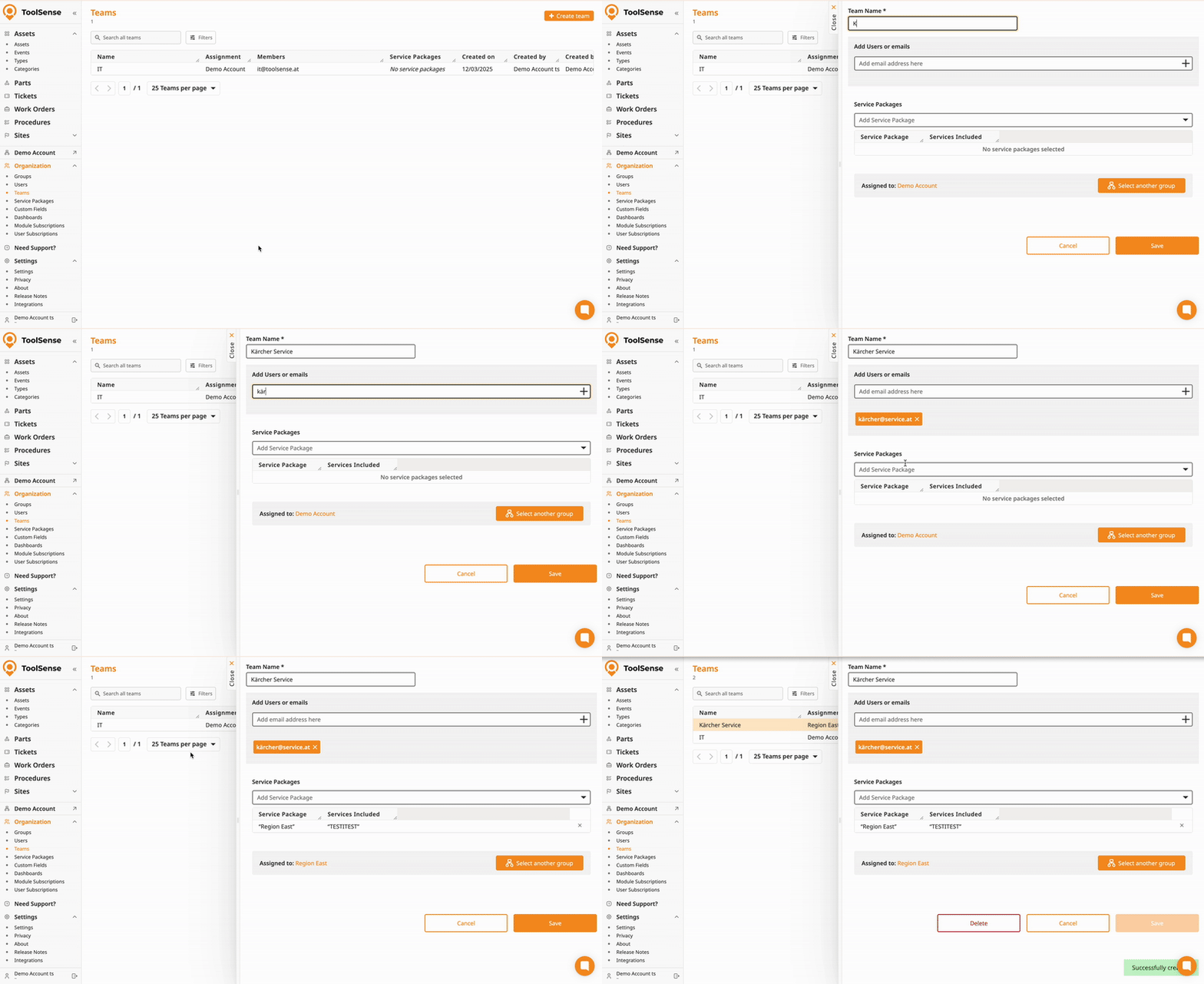
Navigate to Organization > Teams in the left-side navigation bar.
Click Add Team in the top right corner.
Fill out the team details:
Name
Users and/or email addresses – multiple can be added
Service Packages – multiple can be assigned
Group – defaults to the user's current group
(Optional) Designated Service Package
Click Save.