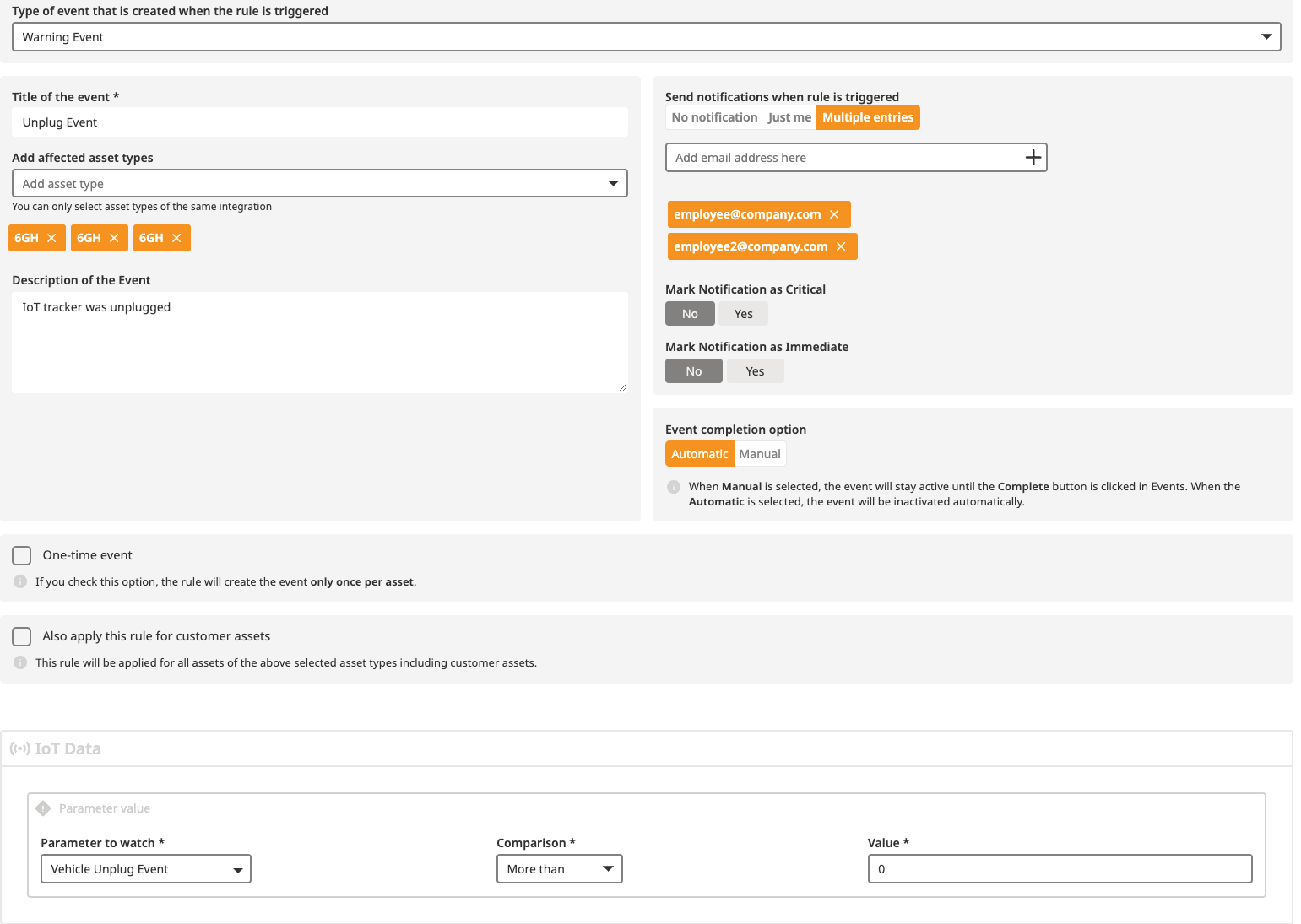
You installed a couple of Caladrius (car trackers) in the OBD Port of your vehicles and would like to make sure that the vehicles of the company are being used "properly" (during work hours, not for personal trips abroad, etc...).
Therefore, you have the possibility to setup notifications for certain events like:
crash
excessive idling
over speeding
tracker unplug
refuelling
In order to get notified of such events, you can set up rules for your assets and get notified via emails if you want.
Here's how you can do it.
Navigate to the Rules menu and click on Add rule
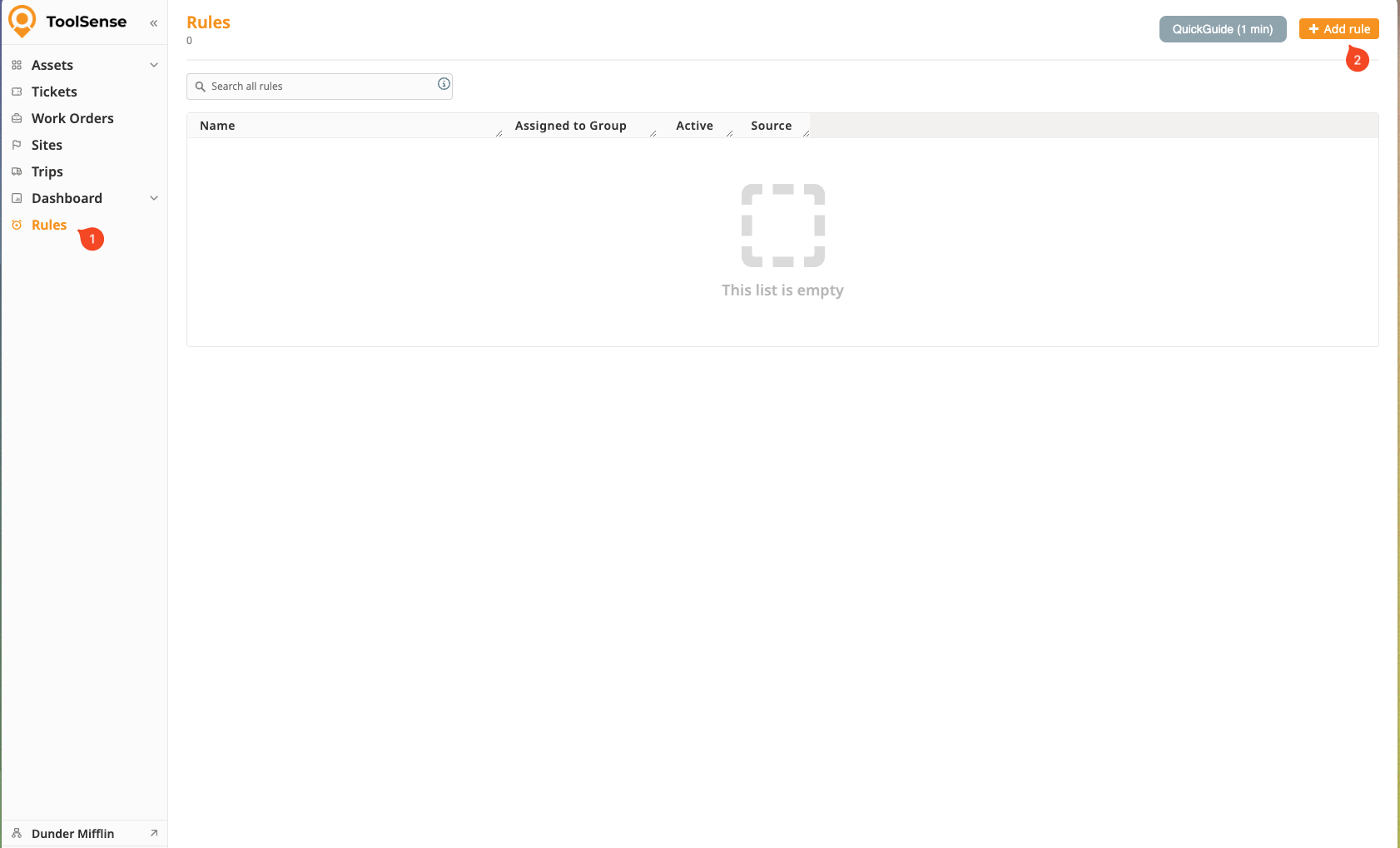
A panel is then displayed and proposes you to setup the rule, by completing a set of information.
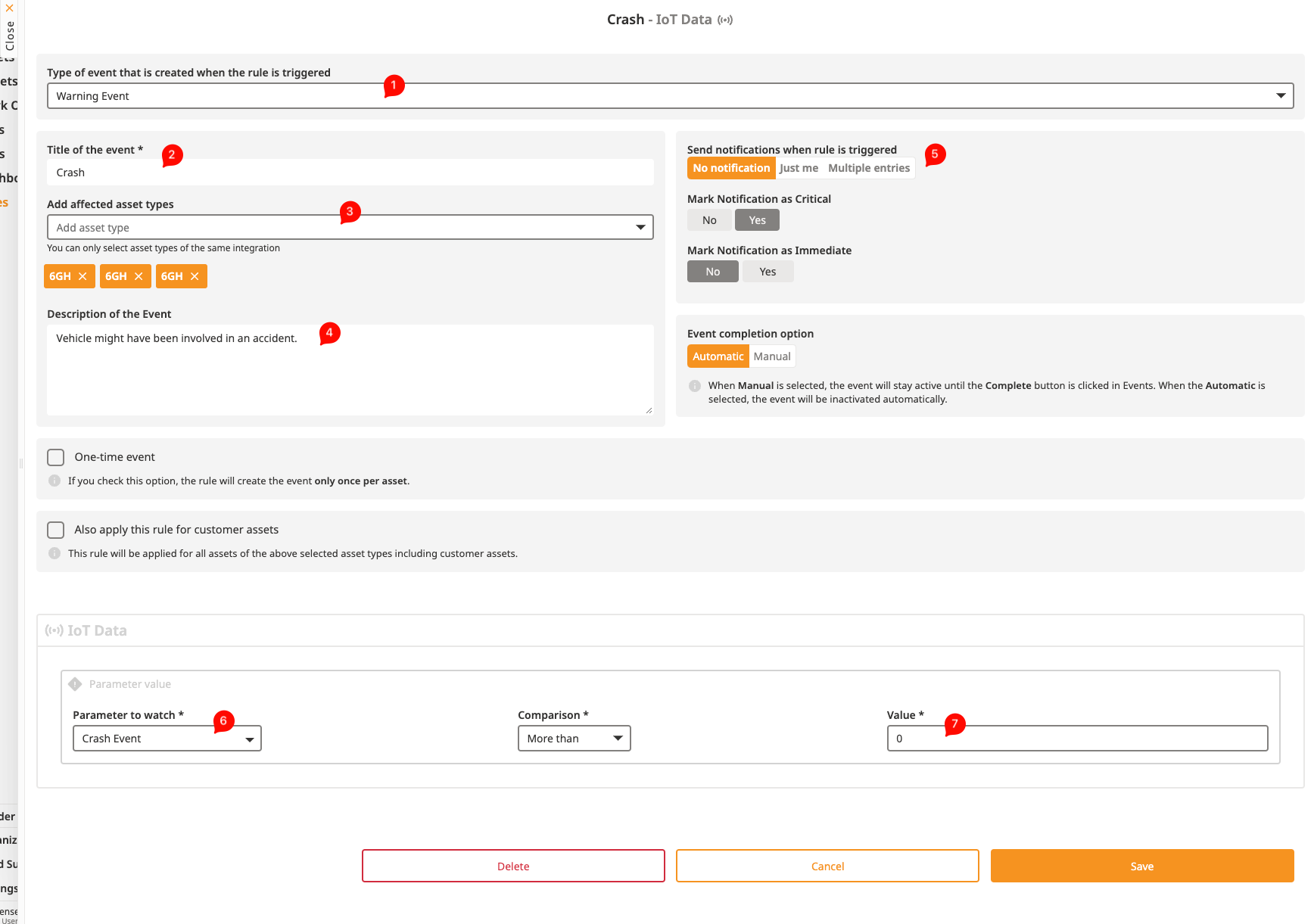
Select the type of event
Give a title to the event
Select the Asset Type you want this event triggered for
Give a description to the event if you'd like
You can choose to be notified about the event via email, or select multiple people to be notified
Choose the IoT parameter you want the event to be triggered for
Vehicle Unplug Event
Vehicle Overspeed Event
Vehicle Idling Event
Crash Event
Vehicle Refuel Event

Set the trigger value as more than 0
If you did everything right, you should be able to see events in the History tab of the Asset.
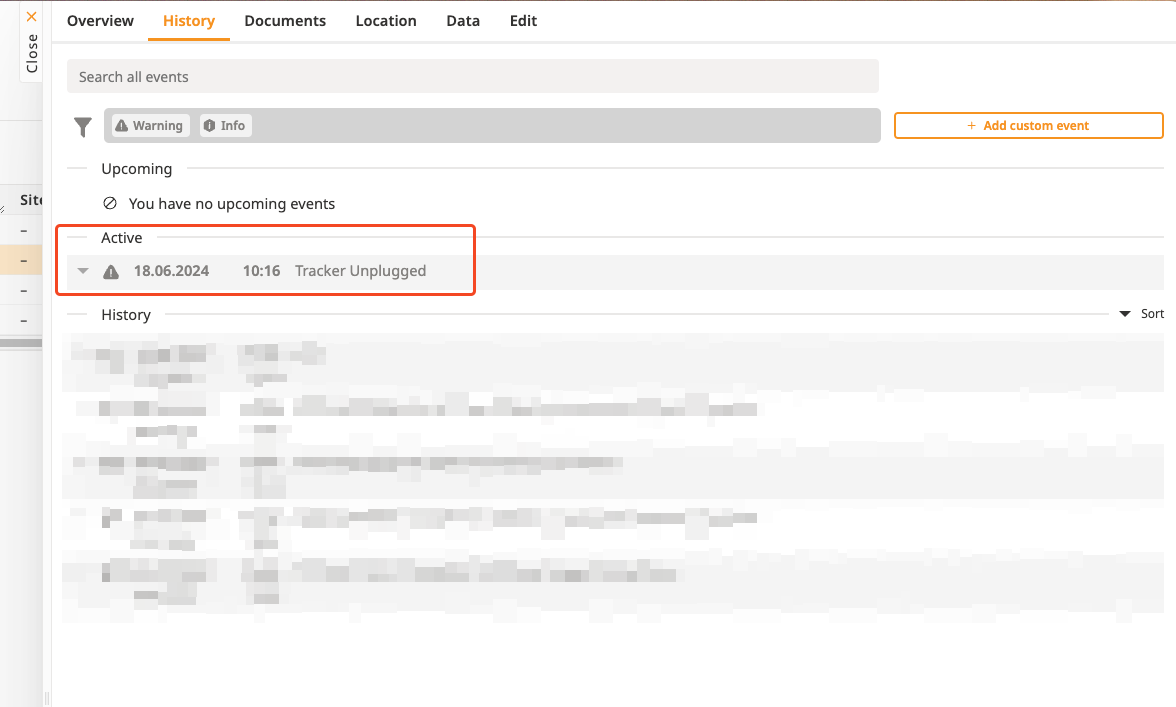

If the event happened during a trip, you can see the exact time and location in the trips if you search for the Asset, otherwise it is currently not possible to display it more accurately.
In special cases (theft, accident) we can help you get the exact time if you can't see it in the trips, just write us at support@toolsense.io or via the chat on the platform.
Here is an example showing how to set up a notification when a car tracker is being unplugged by an employee, which prevents to check the usage of the car