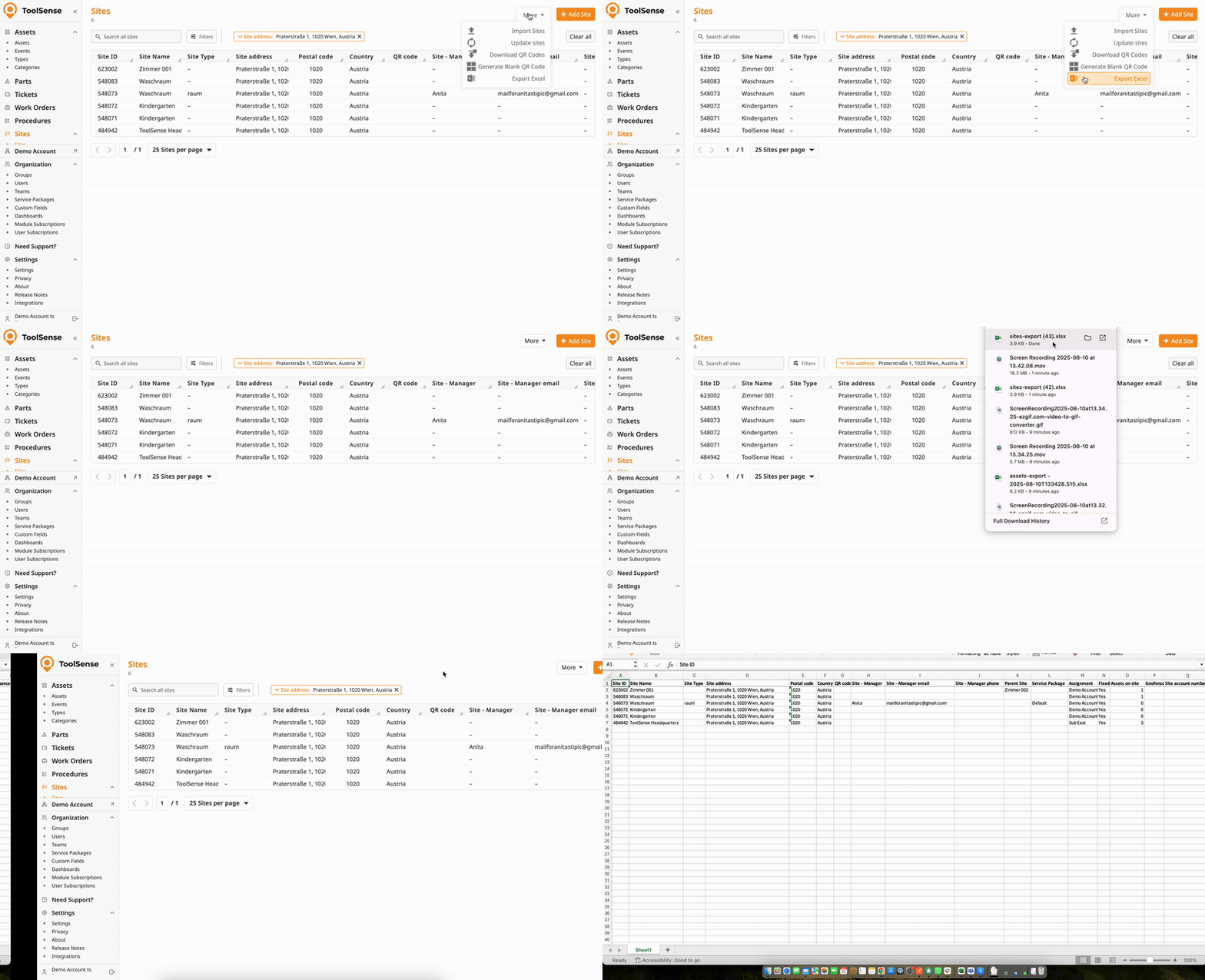
Exporting a list of sites from your ToolSense account is quick and easy. Follow the steps below to export exactly the sites you need:
Begin by filtering your sites within ToolSense. The export function only includes the sites currently shown in your filtered view. This ensures that only relevant data is part of your export.
Use the available filters to narrow down your site list according to your criteria.
For example, you might filter by site type, address or any other attribute.
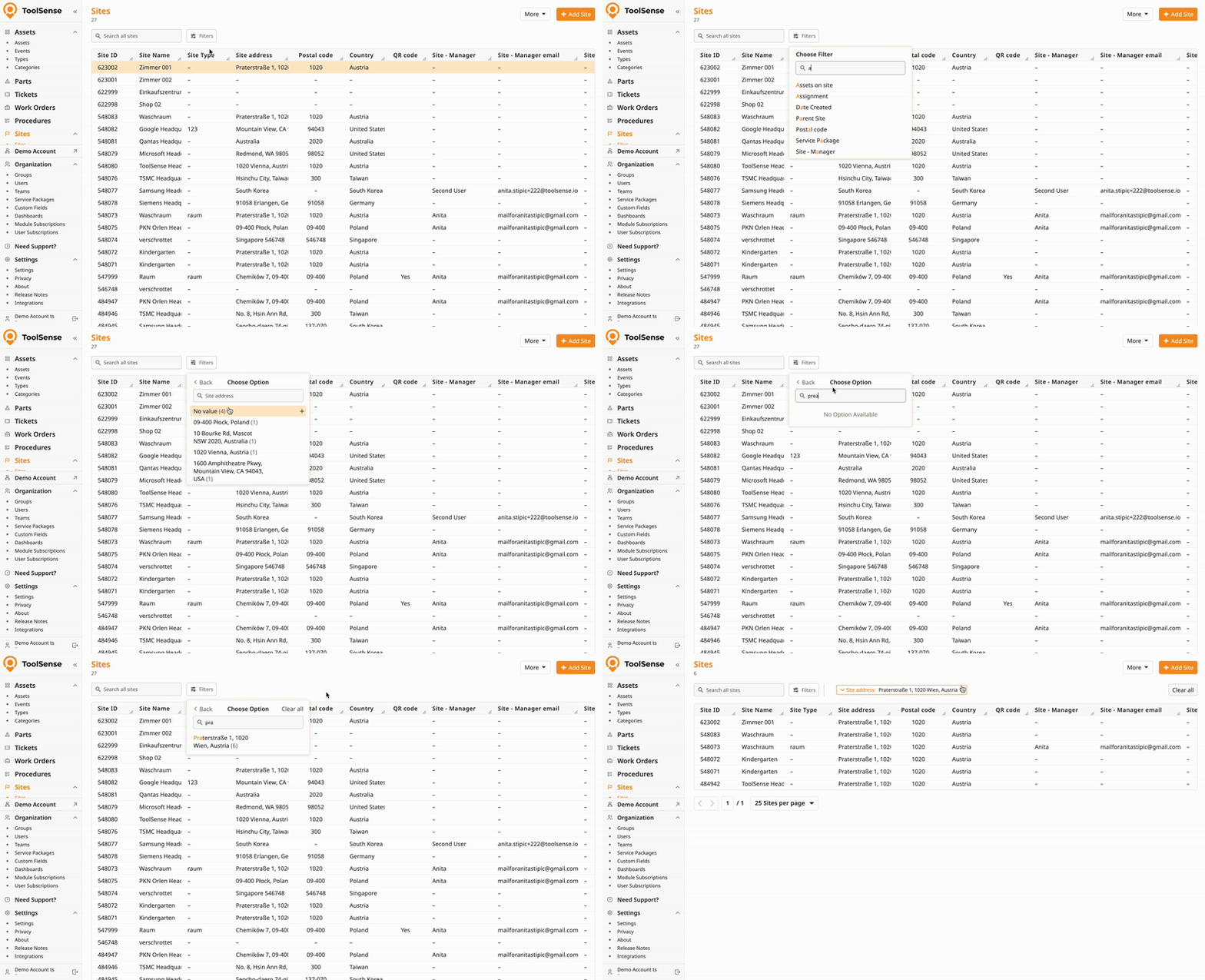
Once you’ve set your filters:
Click the More button at the top of the site list page.
Select Export Excel from the dropdown menu.
The system will then download an Excel file containing your (filtered) list of sites.