Geofences allow you to track when assets enter and leave your site or a designated area. Geofencing can only be used in combination with our ToolSense IoT Devices.
This article will provides all information on setting a geofence and corresponding notfications.
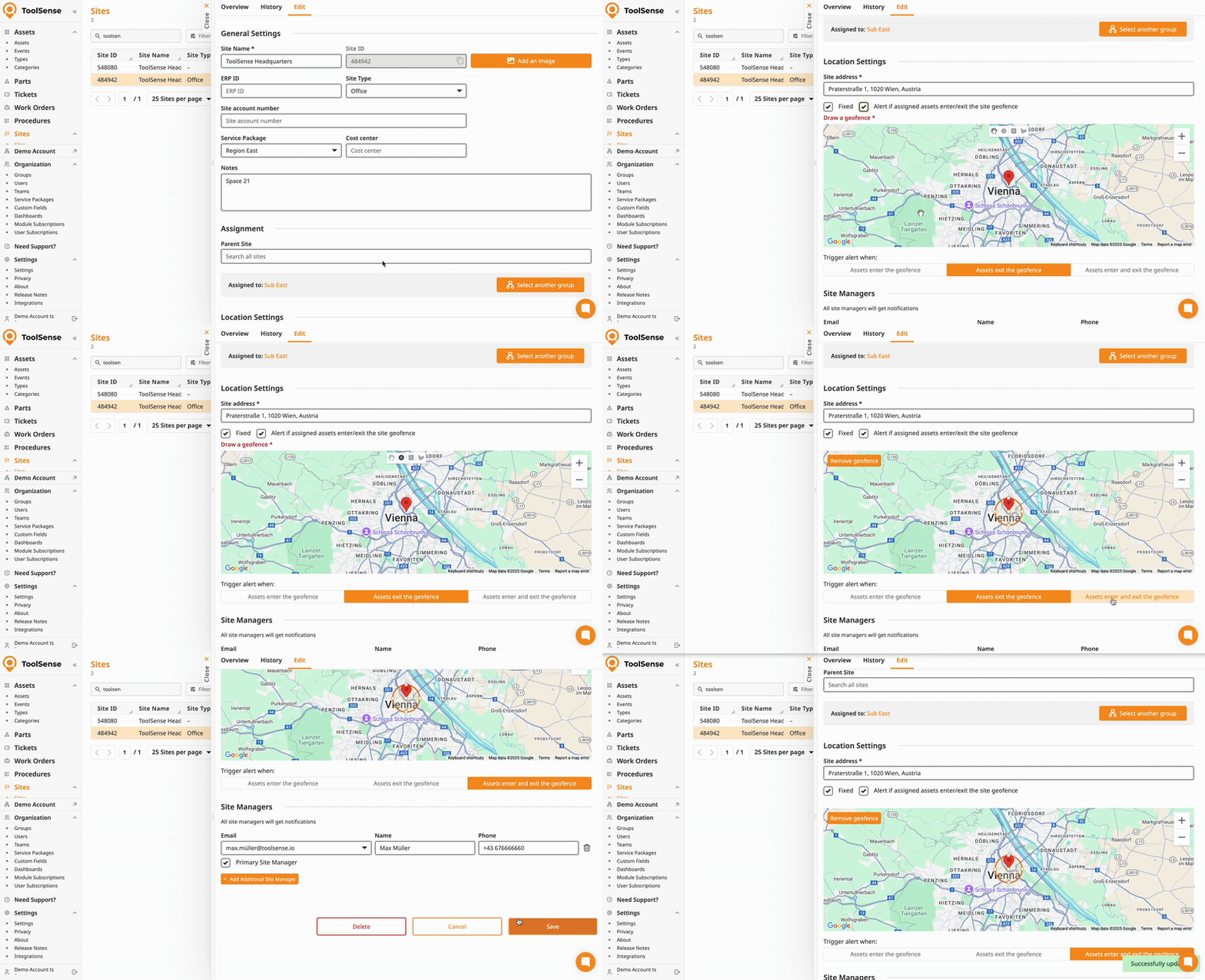
Select a Site.
Navigate to the Edit Tab.
Scroll to the site’s address field. (Your site must have an address.)
Select Alert if assigned asset enter/exit geofence.
Draw the geofence with a circle, square or free-hand.
Select when to be alerted - Exit/Enter/Both.
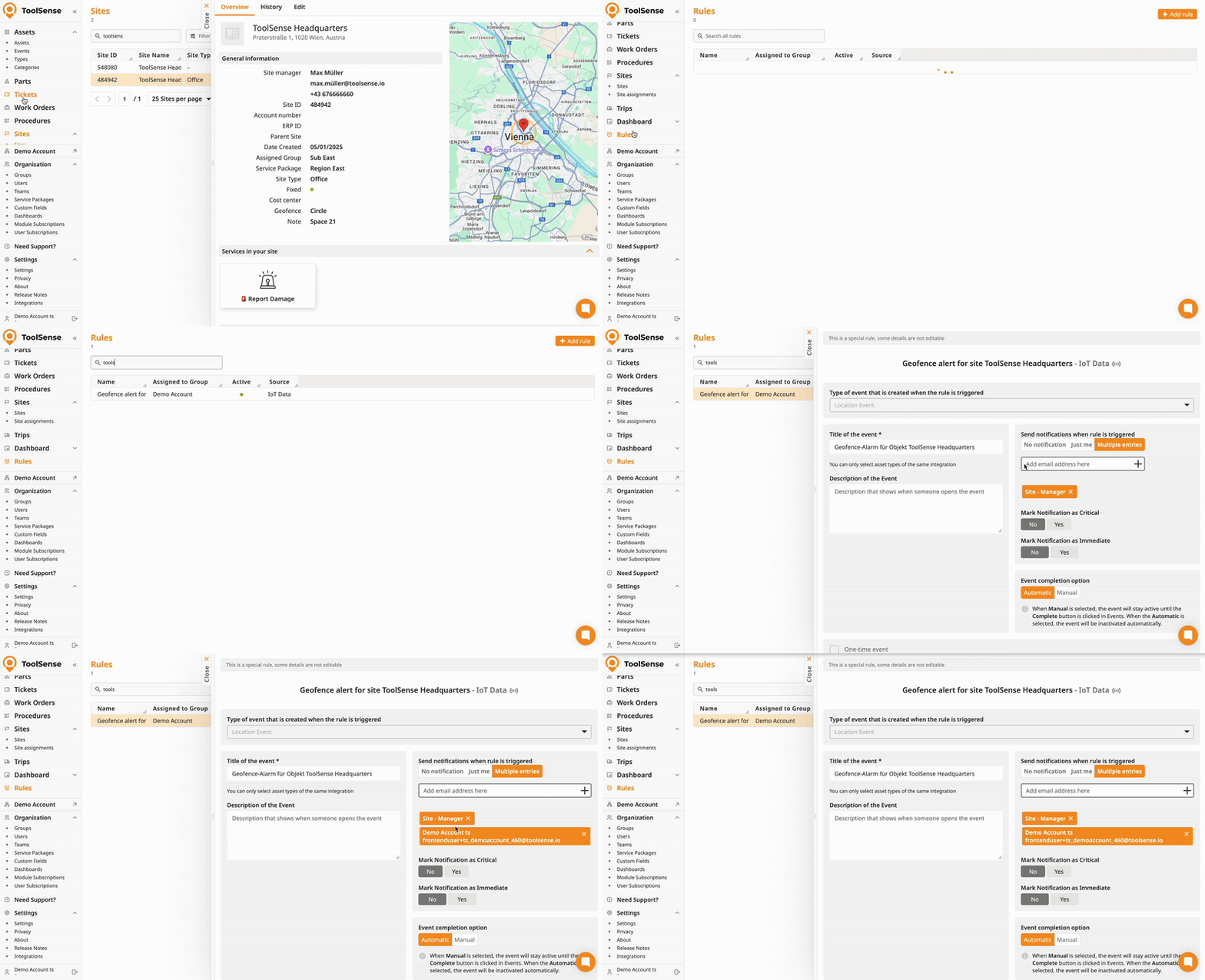
Once you have added a geofence, a rule will be created. You’ll be able to manage who should get notified of any alerts via the rules page.
On the left hand navigation bar select Rules.
Select the corresponding rule - you can filter it by using the search bar.
You can add recipients under Send notifications when rule is triggered. (User or E-Mail)