ToolSense proposes a sophisticated parts management system designed to optimize your inventory management.
Categorisation of Spare parts
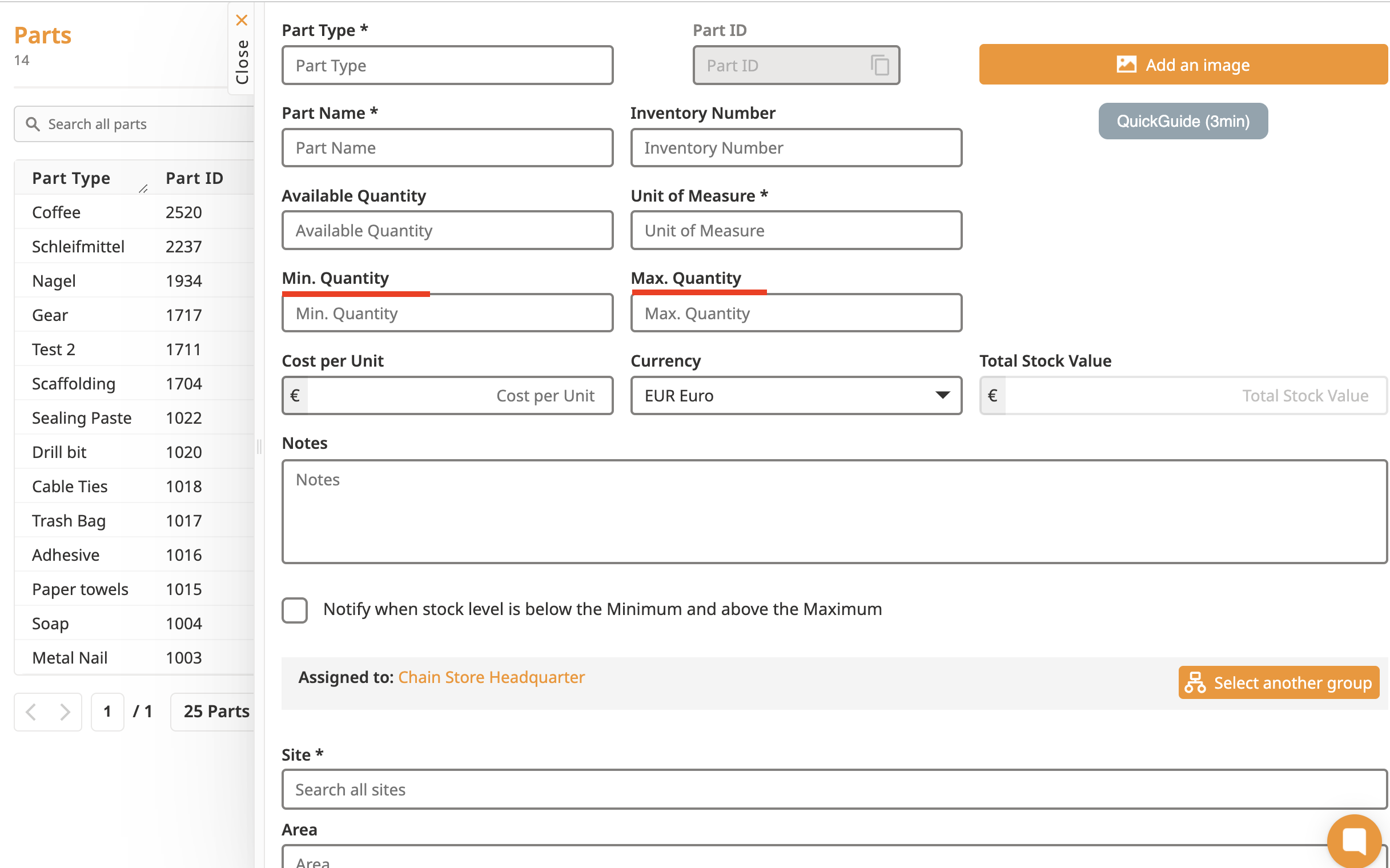
Inventory of spare parts
Number of parts
Calculate the total stock value
Notification when the stock level goes below or above the threshold
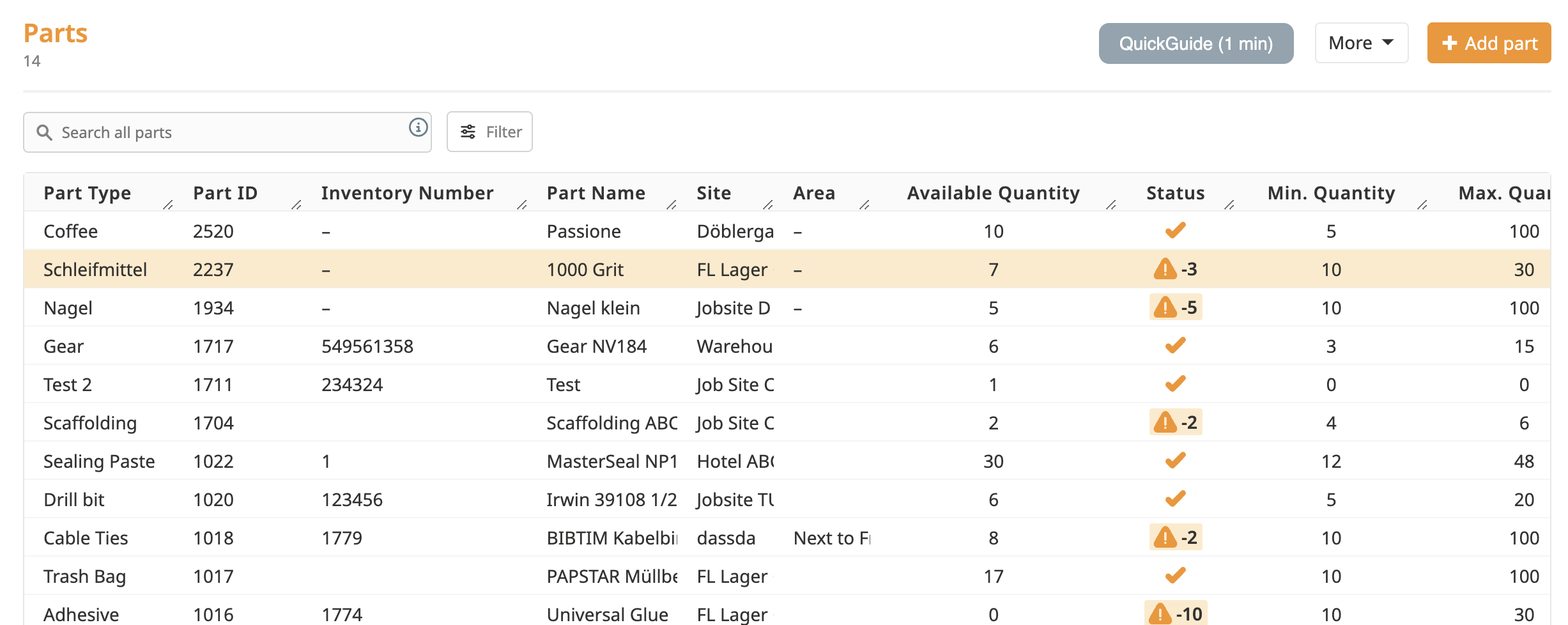
This system enables, for example, the addition of specific item quantities, such as 100 pieces of "wiping cloth", and the designation of its storage site. This functionality is particularly adept at tracking consumable items, ensuring their availability when required.
With our new Parts Take Out and Add In feature, you can easily track your stock and make adjustments on the go. Whether you’re taking parts out for a project or adding them back into inventory, it’s all just a couple of clicks away.
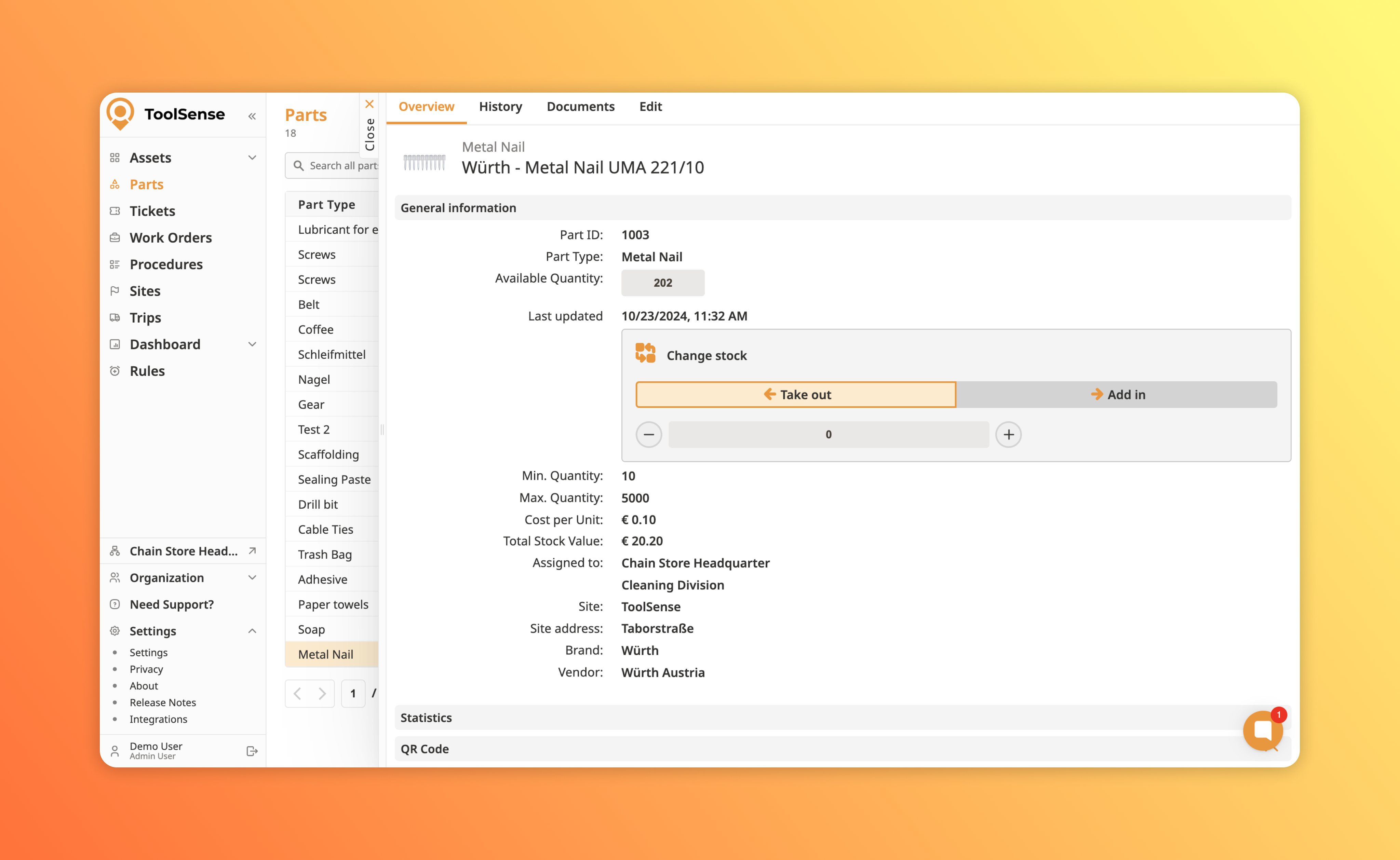
The interface is super intuitive—just hit Take Out or Add In and adjust the quantity as needed. You’ll always have up-to-date information on how many parts you have available. And since it’s all logged in real-time, you can be sure your inventory stays accurate, which makes managing your supplies way less stressful.
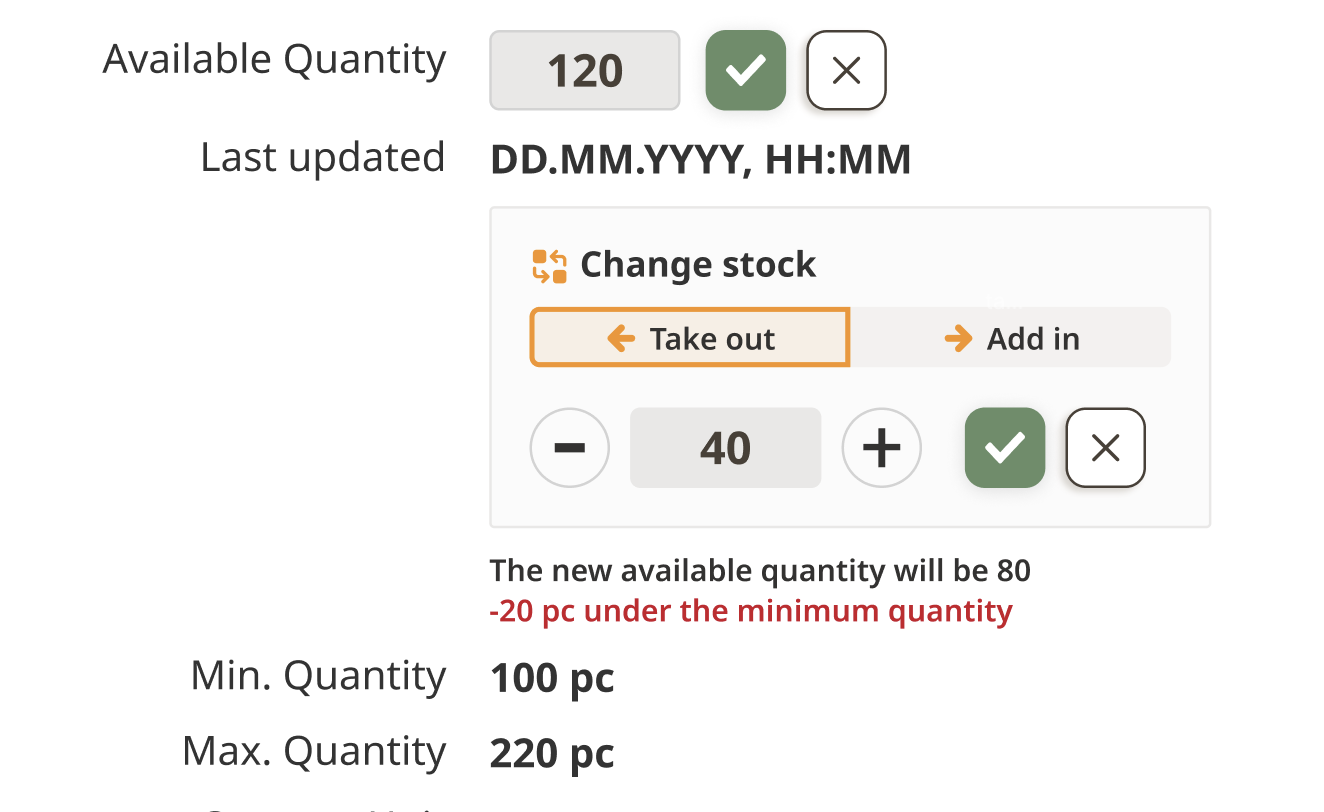
To remove from the Available Quantity, select the Take out option, input the quantity taken from the stock, and click the check mark to validate. The new stock (i.e., Available Quantity) will be automatically calculated. Conversely, to add to the Available Quantity, click the Add in option and validate—the stock will increase accordingly.
Should the inventory level of a specific part fall below or rise above these thresholds, the system will automatically highlight it. This feature is instrumental in preventing both shortages and surpluses, thereby guaranteeing efficient inventory control.
QR code-friendly
Another notable feature of our system is the option to designate QR codes to specific parts, mirroring the QR code functionality used in our asset feature. This provides on-site workers with the ability to effortlessly increase or decrease parts' quantities by merely scanning the QR code whenever they add or remove a piece. This feature not only streamlines the inventory updating process but also enhances its accuracy.
Mobile-friendly
Having accurate information about the available quantity of the parts is important for every company running an inventory. That is why on ToolSense there are multiple ways of setting, managing the quantity on the web platform as well as on the mobile phone.
In case you do not yet have access to the Spare Parts feature, please don't hesitate to get in touch with our support team at "support@toolsense.io" or reach out to your customer success manager. We're always here to help you make the most of our ToolSense platform.
