IoT trackers are very useful for collecting constant data and automatically documenting the runtime or mileage of your equipment. However, thanks to meter reading, you now have the possibility to document runtime or mileage once a week/month/year.
The following video will show you how you can use it.
How to use the Meter Reading feature?
Logged users on the Browser
Logged users on the mobile app
Non-logged users after scanning the QR code of the equipment
The meter Reading feature is a Service flow, that you can add very easily:
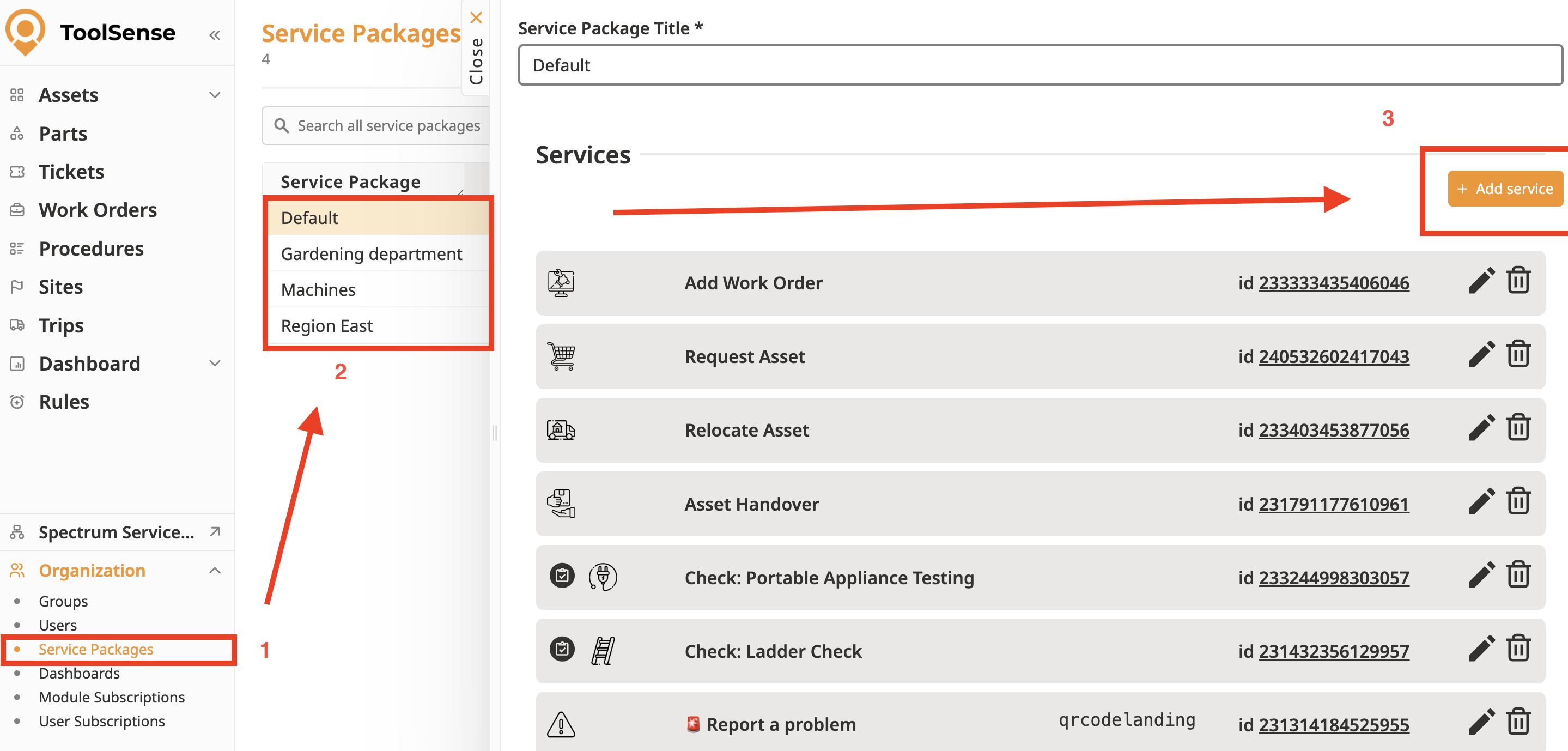
Go in the Service Package settings
Select the Service Package for which you would like to add the feature
Once the Service Package tab is open, click on "Add Service"
The following pane will open:
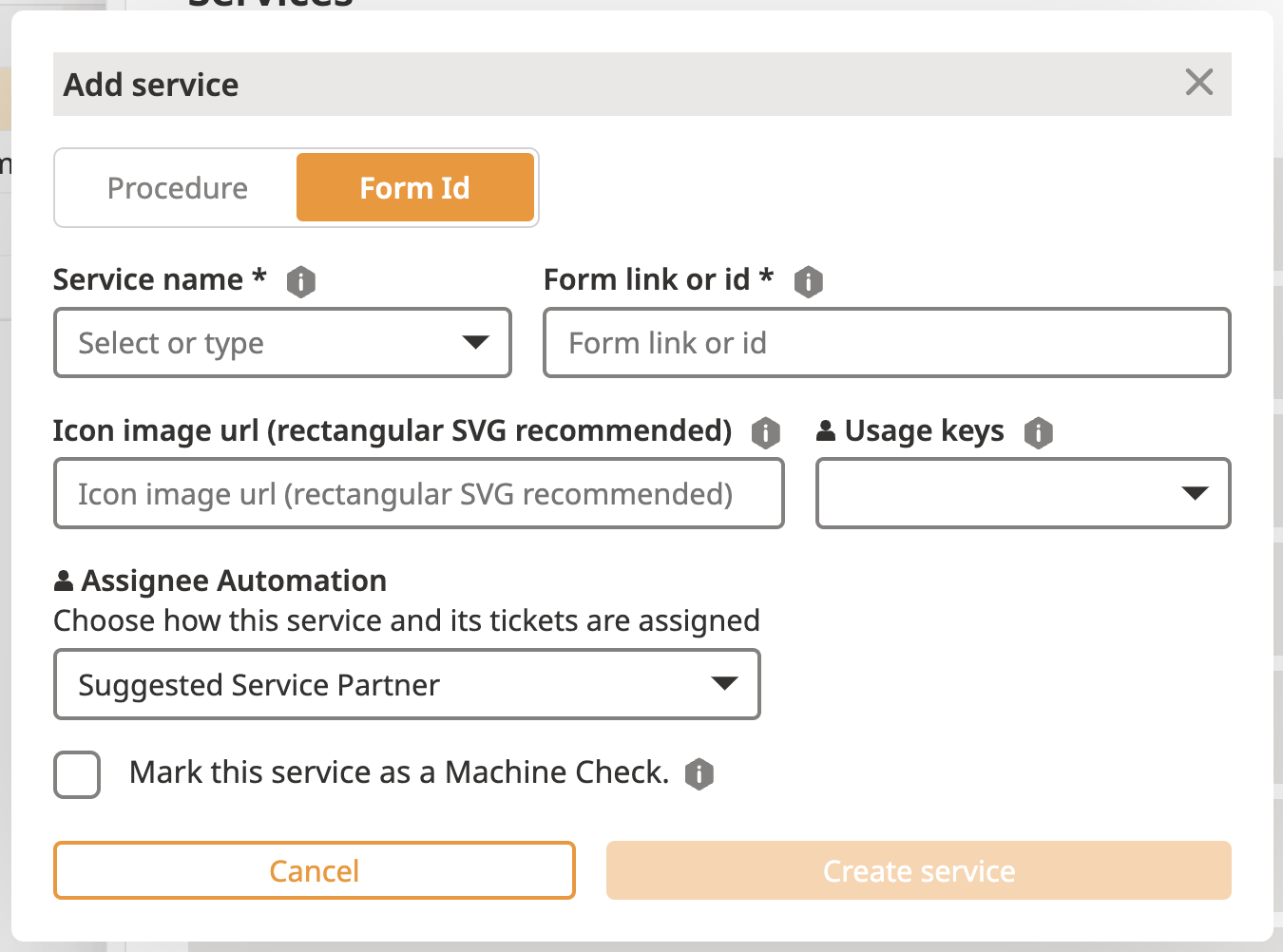
Name the Service (Should be understandable by the operators who will use it to record runtime / mileage...)
Add the following ID in the "Form link or id" section: 242283242757863
Choose the relevant Usage key:
NONE => only logged users will be able to use the feature to add runtime
qrcodelanding => everybody will have the possibility to use this feature, after scanning the QR code of an equipment
Click on "Create Service"
You're good to go, the meter reading is now available on your account.
