When a ticket is created, you have different options for assigning it (automatically or not).
Each use case may need a different type of assignment. I will therefore list below the different possibilities that are offered to you:
Tickets can be assigned automatically or manually to a User.
A user on ToolSense can assign a ticket to the Users from his group and the groups above/below. Users from sibling groups don't have access to each other and can't assign each other. To do that, they need to assign a person from the group above, who is able to do it.

The mail address of a person who isn't registered on ToolSense can be added as a follower.
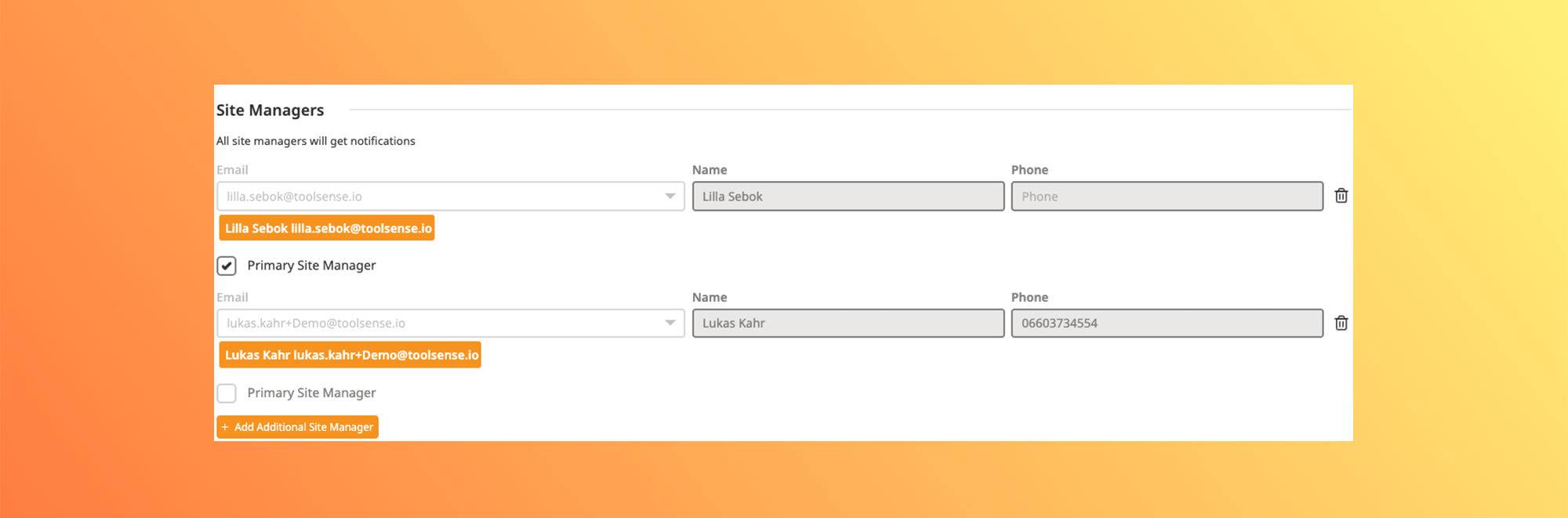
Each Site has a field to add one or more Site-Manager(s)", who are the persons responsible to manage everything that happens on this site.
The Site-Manager feature saves a lot of time for companies who have a standardized process shared among many Teams when it comes to rolling out ToolSense.
Assign multiple managers to a site, ensuring seamless collaboration and shared responsibilities.
Set a Primary Site Manager for accountability while still allowing others to stay in the loop.
Site-Manager can be ToolSense users or just a mail address.
Ensure all site managers receive notifications and have the tools they need to keep things running smoothly.
A user on ToolSense can assign a ticket to the Teams assigned to his group and the groups above/below. It's not possible to assign a Team from a sibling group. To do that, they need to assign a person/Team/Ticket Handler from the group above, who would be able to do it.

You need to click on "Organization" - and then "Teams" in the options displayed
You can then "Create a Team", and the panel below opens itself:
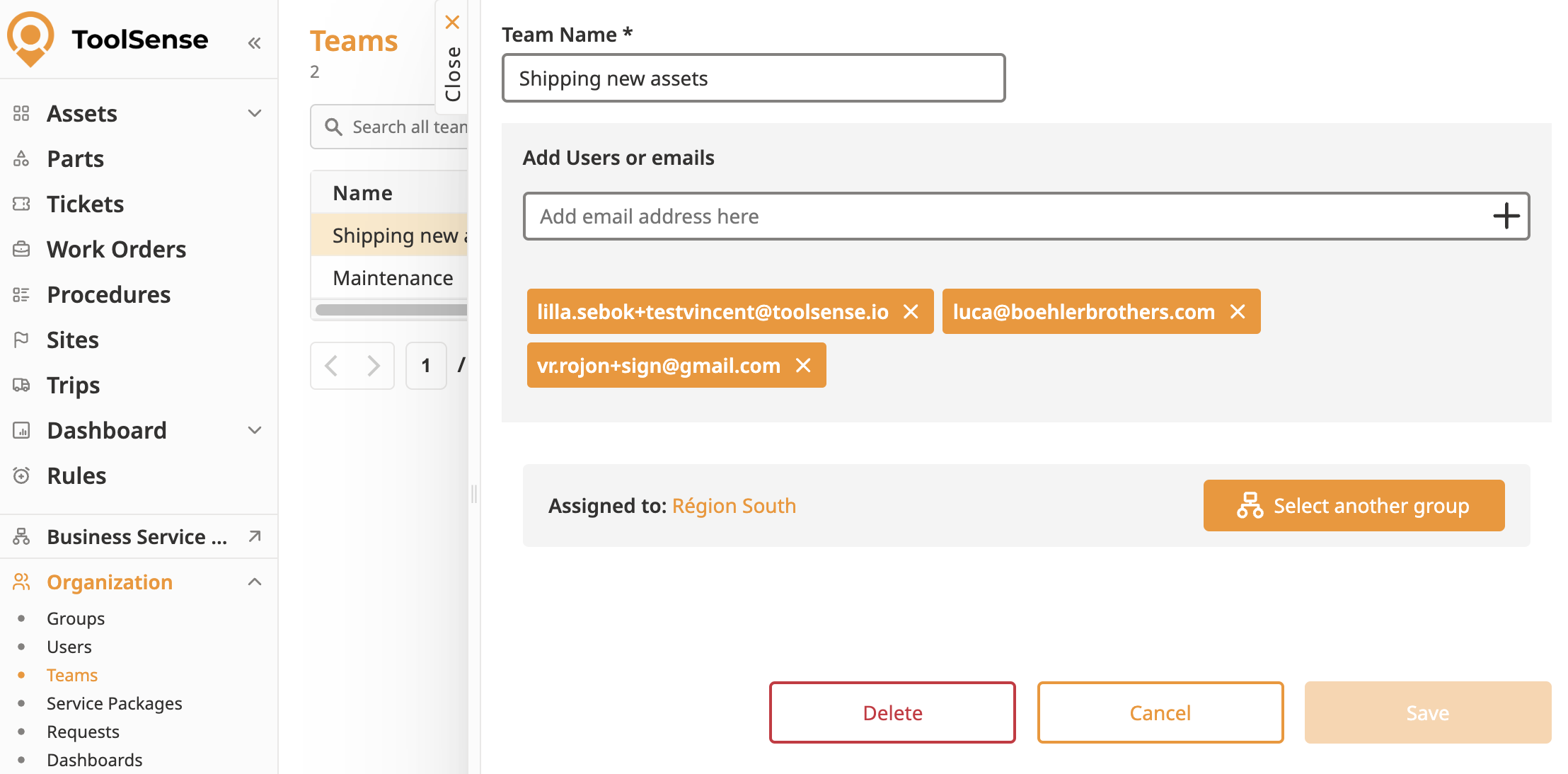
You can fill in the details of the Team (Name - Group assignment - Users added to the Team) and click on "Save".
The Team is created and can be assigned to a Ticket.
A person who isn't registered on ToolSense can be added as a Team member through her mail address.
A user on ToolSense can assign a ticket to the group Ticket Handler from his group and the groups above/below. It's not possible to assign a group Ticket Handler of a sibling group. To do that, they need to assign a person/Team/Ticket Handler from the group above, who would be able to do it.
You need to click on "Organization" - and then "Groups" in the options displayed.
You can select an existing group to edit or "Add Group" - A panel is then displayed.
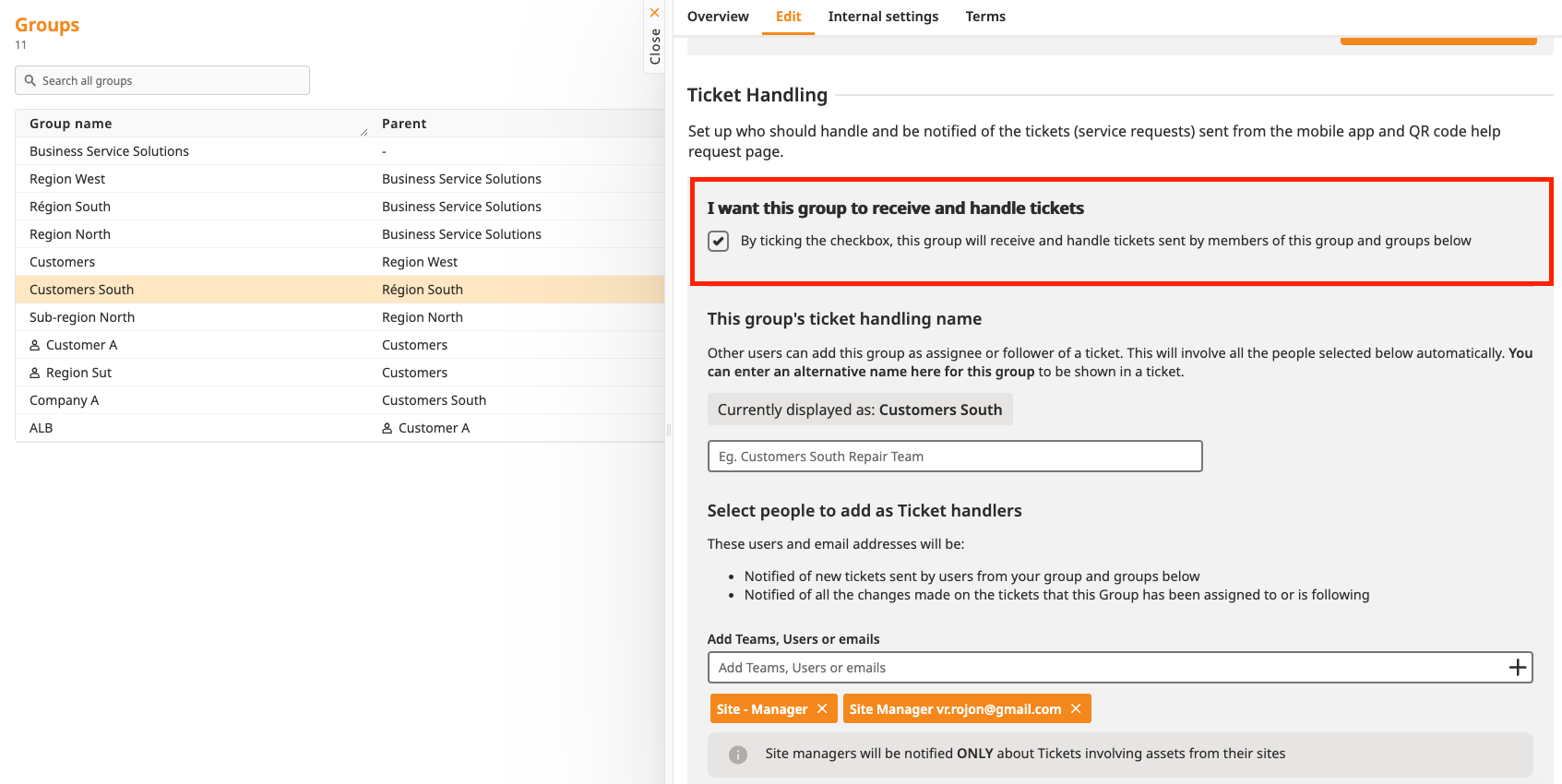
If you want users from this group to handle their tickets, you need to check the "I want this group to receive and handle tickets" checkbox. After that, you need to select the people who should "handle" the tickets for this group.
A person who isn't registered on ToolSense can be added in a group Ticket Handler through her mail address.
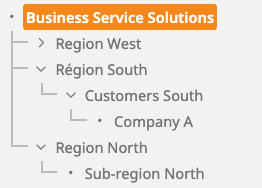
The picture below shows a Group hierarchy on ToolSense.
A User can assign Users / Teams / Ticket Handler if they are assigned to the same group or to groups above/below. Sibling group can't be accessed.
In the example below, a user assigned to Region North can't assign a ticket to any user/team/ticket handler from Region South & West (and groups below). He would need to assign a person from "Business Service Solutions" who can access all account users.