Generating blank QR codes is essential when you need to inventory assets that haven’t been previously cataloged. Blank QR codes allow you to walk through your warehouse and quickly attach a unique identifier to each machine. The best part? Even non-users (individuals without a ToolSense login) can complete this process.
Login to ToolSense
Navigate to my.toolsense.io/assets and log in with your credentials.
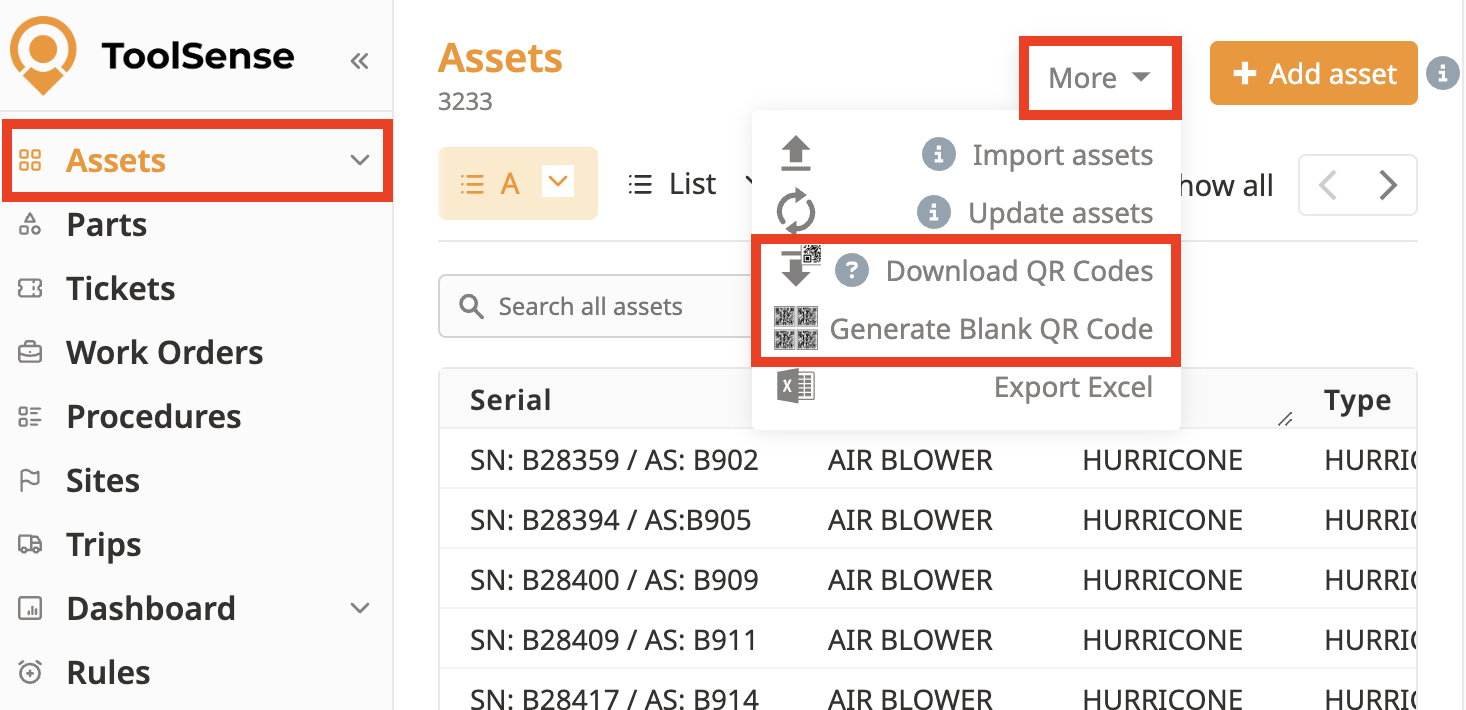
Access the QR Code Options
Click on the More menu.
Select Generate Blank QR Codes.

Print Your QR Codes
Download and print the blank QR codes. Ensure you have a reliable label printer for high-quality QR code stickers.

You can assign your QR Codes to Assets which have priorly been created. To do so, please refer to the article below.
How To Assign a QR-Code
Add a QR-Code to an existing Asset
If you want to add your Asset and simultaneously assign the QR-Code, read on in the article below.
How To Create an Asset with Our Mobile App
Create an Asset using your Smartphone and a Blank QR Code
