You can assign tickets in ToolSense either manually or automatically. This article provides an overview of all methods for adding an assignee. Please ensure that a ticket handler is set up for your group to receive tickets. For more information, refer to the article linked below.
Tickets in ToolSense can be assigned to the following:
ToolSense User - Any individual user with access to the system.
Team - A group of users or e-mail addresses assigned collectively to the ticket.
Ticket handler - An external or internal service provider responsible for receiving and handling the tickets which is defined in your group’s settings.
You can manually assign tickets by adding an assignee in the Ticket Overview. Assignees can include:
Users
Teams
Groups
Note: If you update a ticket’s status to “In Progress,” the assignee is automatically updated to your logged-in user.

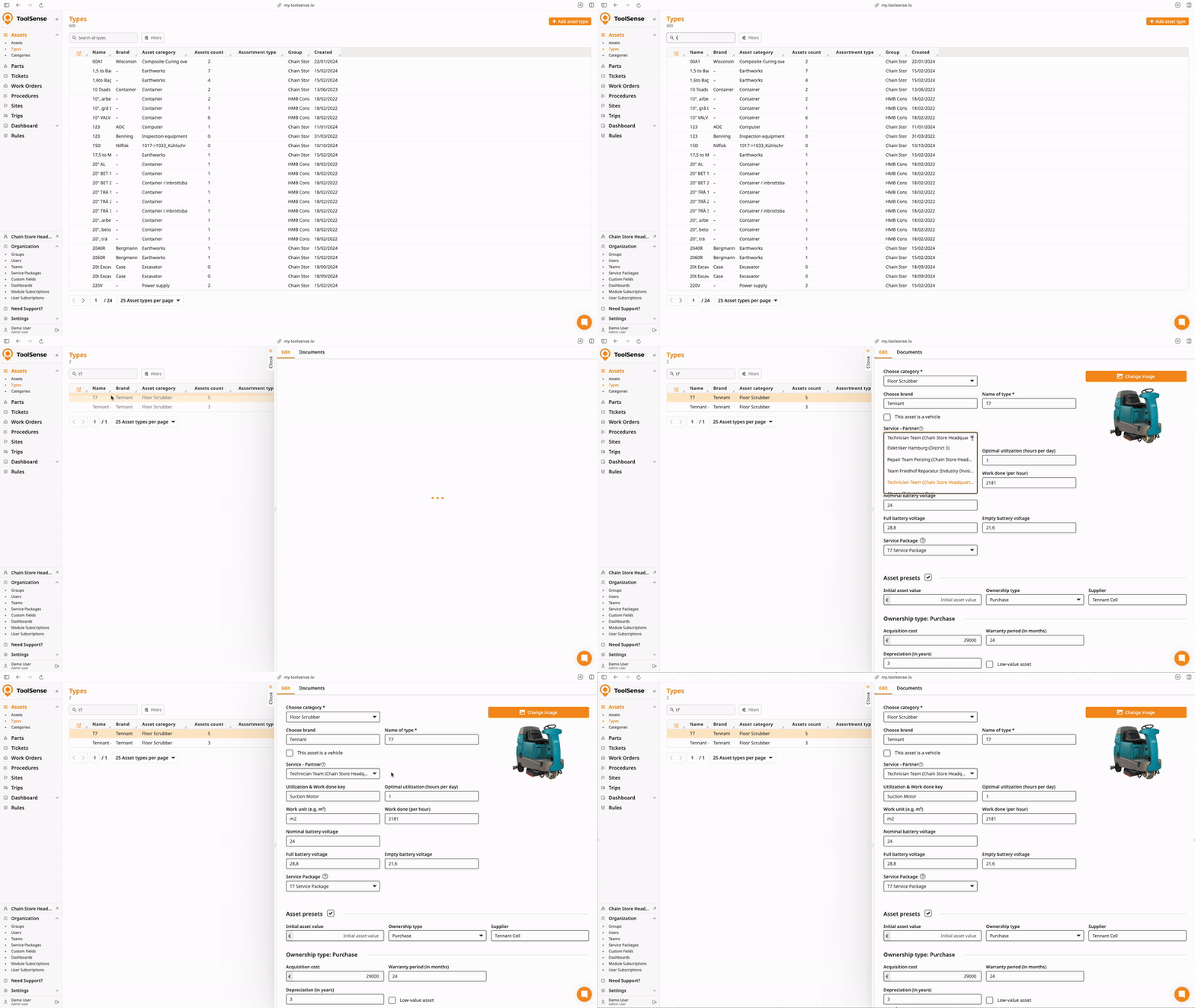
Follow this step if you want to automatically assign a Ticket to a Service Partner.
Navigate to Assets > Asset Types.
Select the asset type you want to configure.
Locate the Suggested Service Partner field.
Choose a user or team to assign as the suggested service partner for this asset type.
Follow additional setup instructions below.
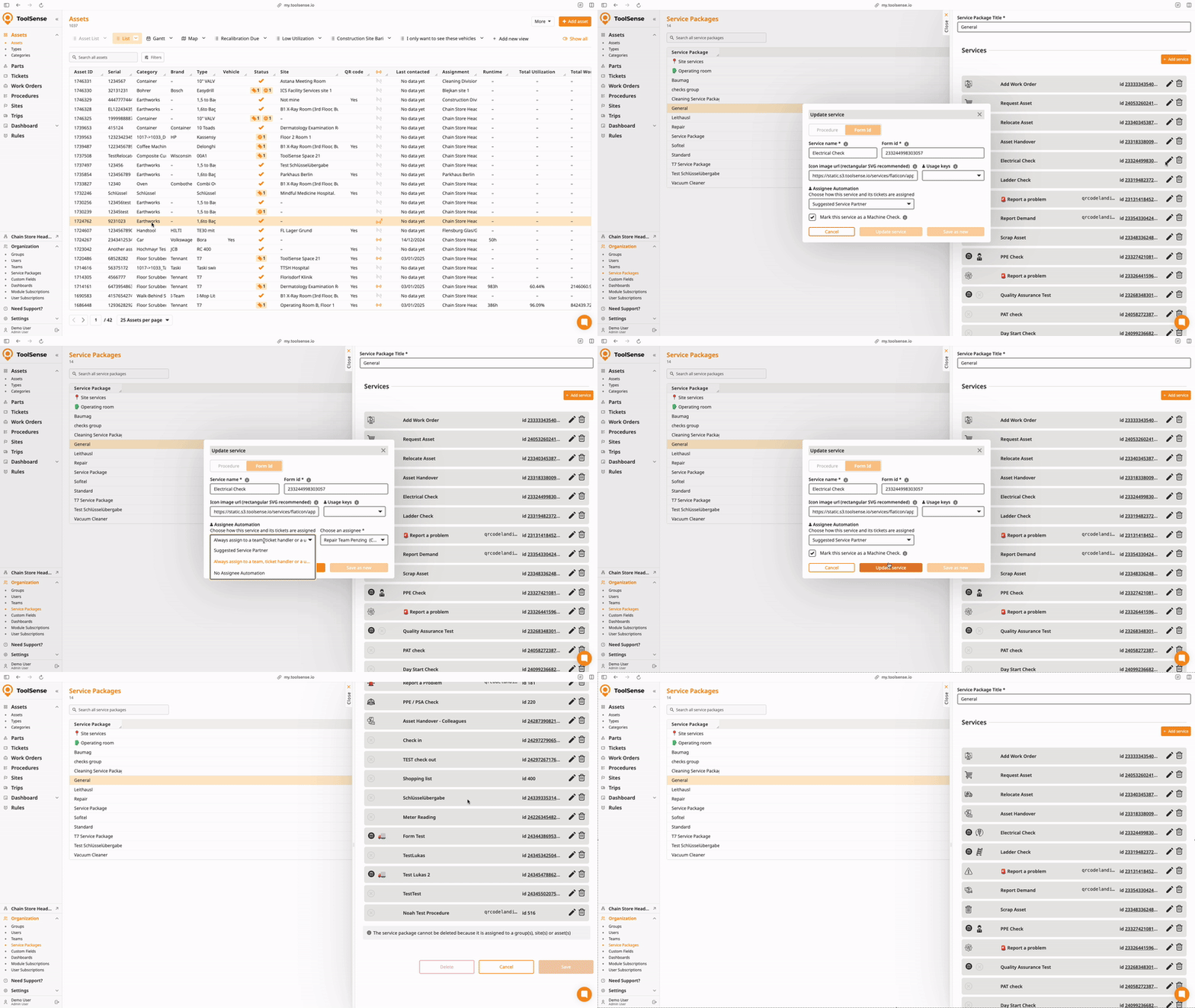
To configure assignee automation for Services in ToolSense:
Go to the Service Packages page.
Select the service package you want to configure.
Choose a specific service within the package for which you’d like to enable assignee automation.
Click the Edit icon next to the service.
In the edit modal, select the type of assignee automation. Options include:
Suggested Service Partner
Always Assign to a Team
Ticket Handler
A Specific User
Click Save.
Once saved, all tickets generated by this service will follow the assigned automation rules.
If no assignee is added manually or automatically, the ticket will be created in the Ticket Handlers group by default and will not be assigned to anyone, but will still inform the configured ticket handler.

Ticket Handler: Manage Ticket Creation and Visibility
What is the Ticket Handler and How can I configure it?

