This guide walks you through creating subsites and assigning them to a parent site, ensuring your site hierarchy is correctly established for streamlined management.
For an overview of subsites and their use cases, refer to the following article:
Overview: Understanding Subsites in ToolSense
All about subsites and common use cases.
For general site creation, refer to the guide below
LINK
Navigate to the Site page in ToolSense.
Click Add Site.
Fill out the site details as usual.
Under Assignment, select the parent site to link this new site as a subsite.
Complete other required fields.
Click Save.
For bulk updates or more detailed site editing, refer to:
Overview: View & Manage Site Data
A comprehensive guide to viewing, creating, updating, and deleting site information in ToolSense.
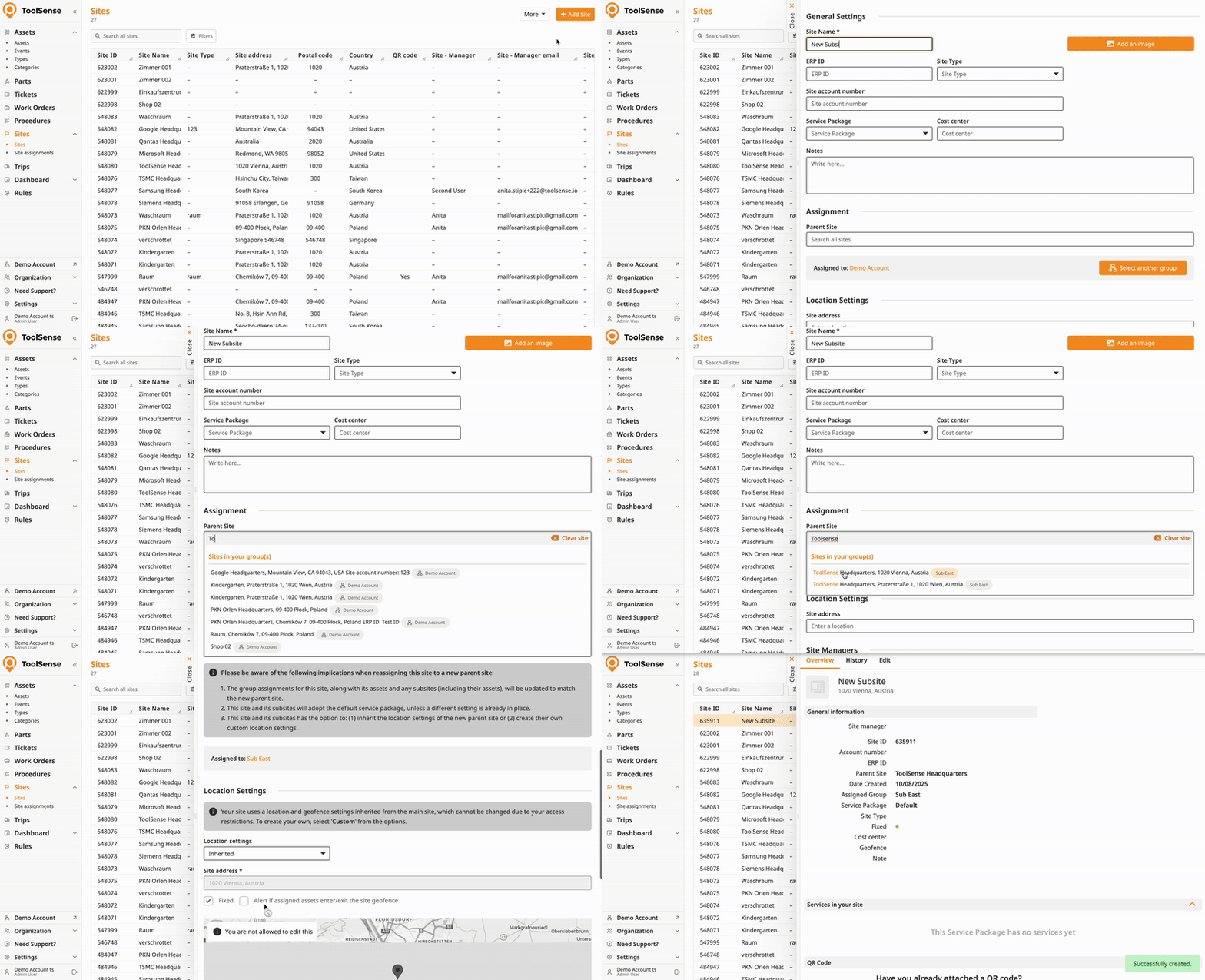
Group Assignments Update:
When a site or subsite is assigned to a new parent, its group assignments — and those of all its assets and any subsites — will update to match the new parent site’s groups.
Service Package Settings:
The subsite and its subsites will inherit the default service package of the parent site unless a different package was set previously.
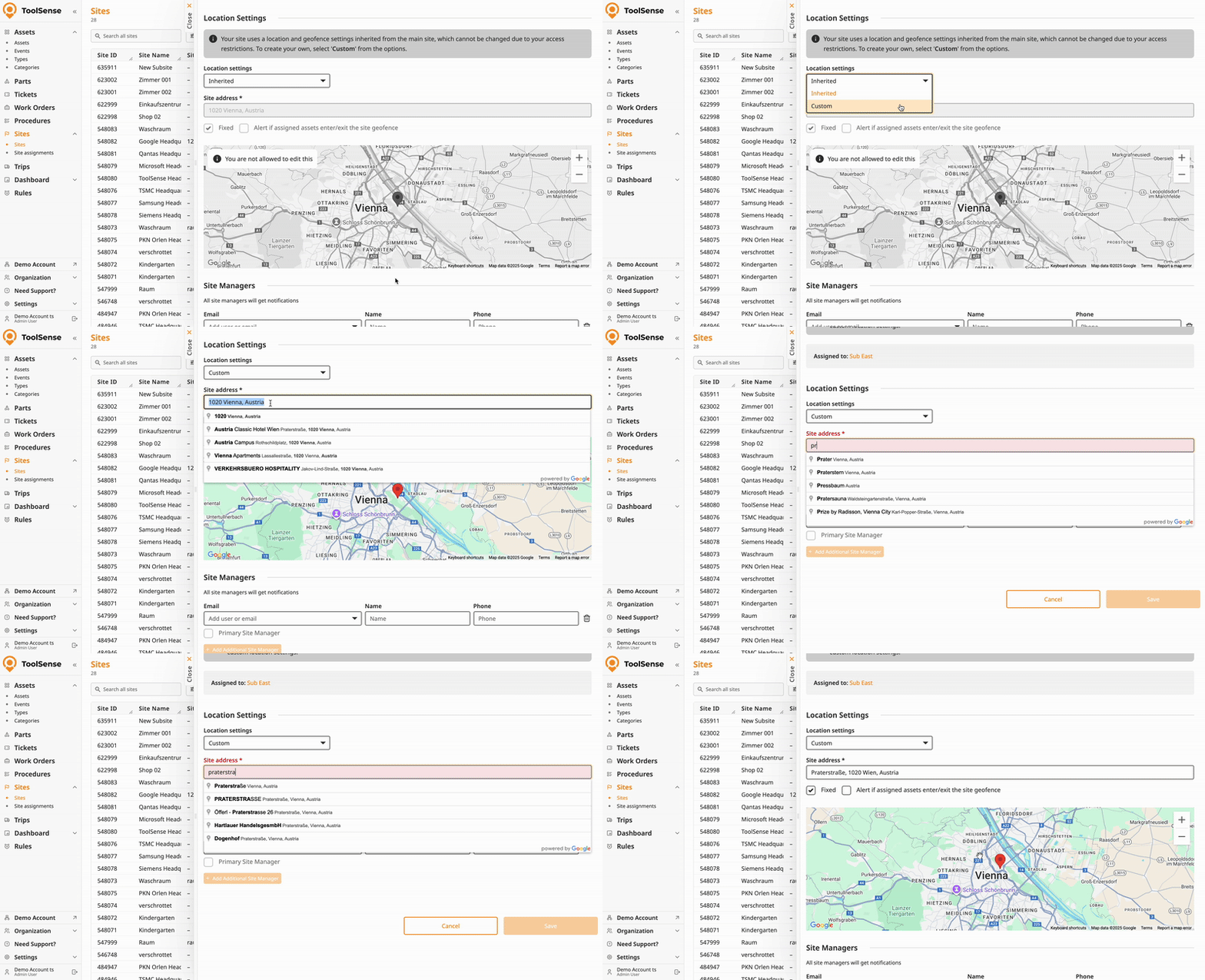
Location and Geofence Settings:
You can choose whether the subsite and its subsites:
Inherit location and geofence settings from the parent site (default), or
Create custom location settings for greater flexibility.
Subsites require activation - please contact your CSM or support team if you don’t see the option to create subsites.
Changing parent site assignments can have broad effects on access and service configurations, so plan accordingly.
