Goal:
Quickly find the right data - and reuse it whenever you need it.
 Filter your data
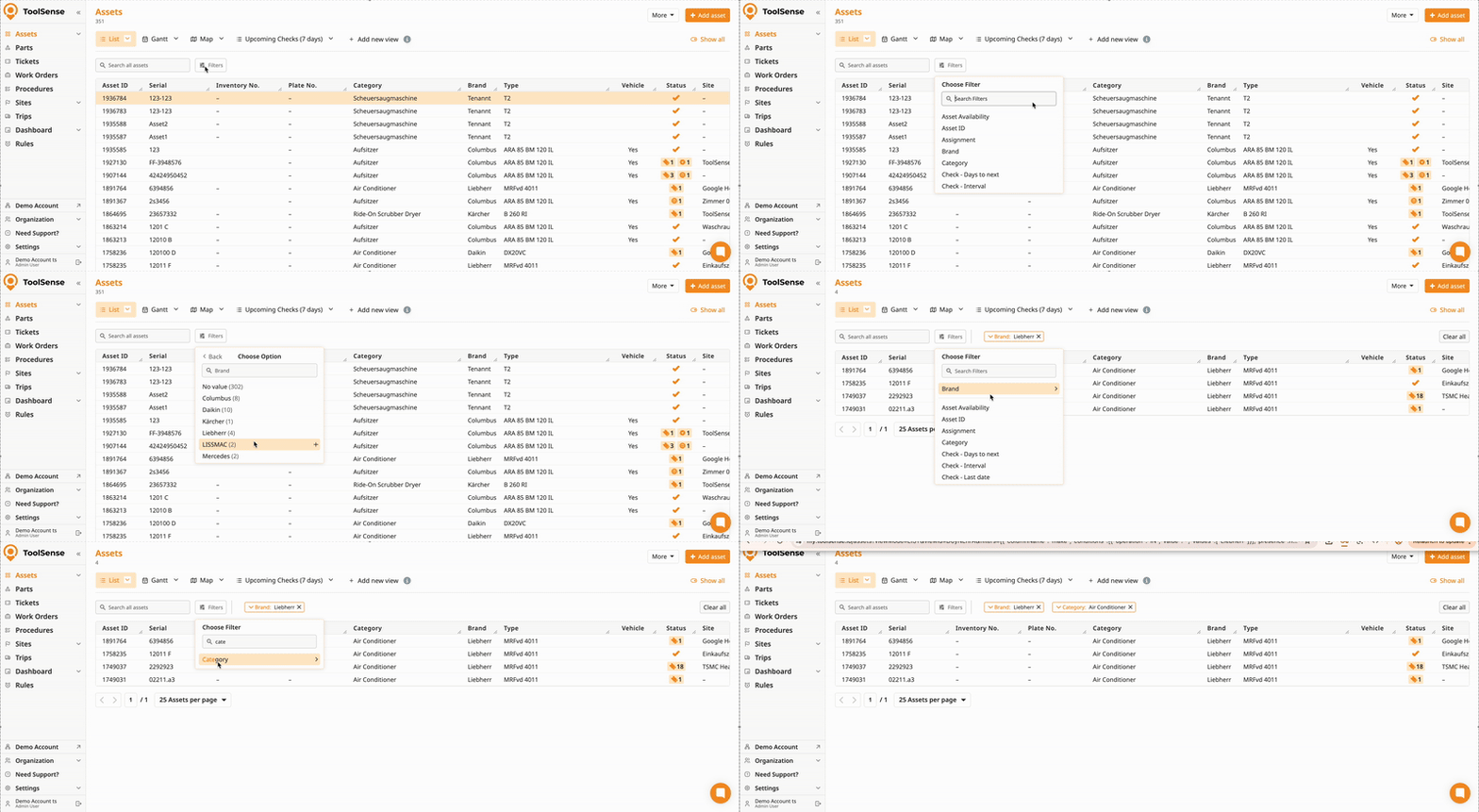
Open any list (e.g. Assets, Tickets, or Events) and apply one or more filters to narrow down the results.
 Tip: Multiple filters are combined using AND logic, meaning each filter further restricts the list.
 Save your filters as a View
If you’ll need this filtered list again:
Click Add New View
Give the view a clear, descriptive name
Decide whether it should be personal or shared
Add your filters
Save View
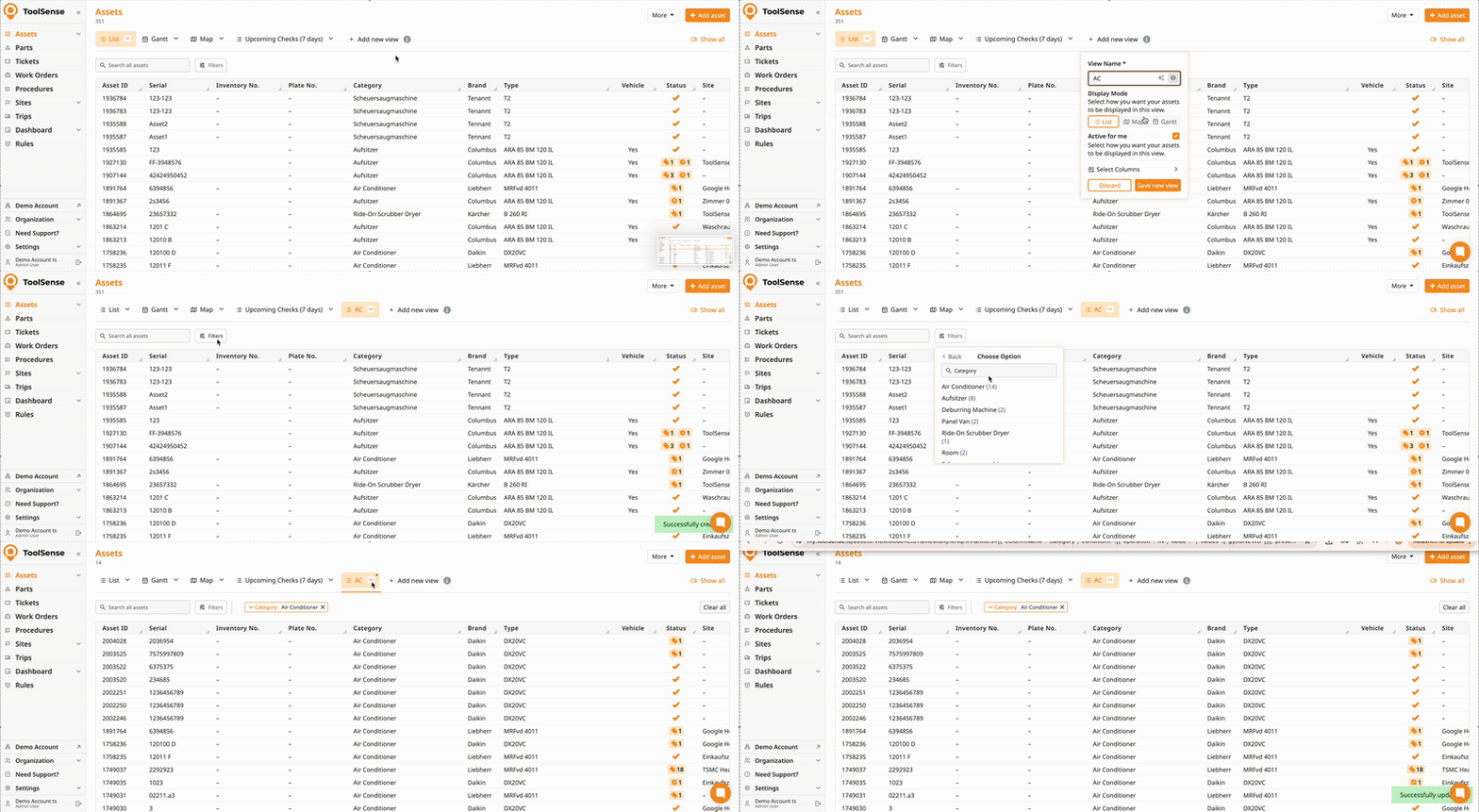
Your filters and column setup are now saved.
 Reuse, share, or export
Switch between views anytime
Share views with your team or sub-groups
Export exactly the data you need
You use the same filtered list regularly
You need consistent, reusable reports
You want your team to work with the same data
 Want more details?
Check out the full guides on Filters and Views below.
How To Create and Manage Views in ToolSense
Create, update, and delete custom list views.
How To Manage Filters
Stepy-By-Step Guide for managing filters in ToolSense

