To perform a check, it must first be properly set up. If you haven’t set up a check yet, please refer to the article below.
How to set up a check / inspection ?
How can you create reminders & the calendar of inspection of your machines on ToolSense?
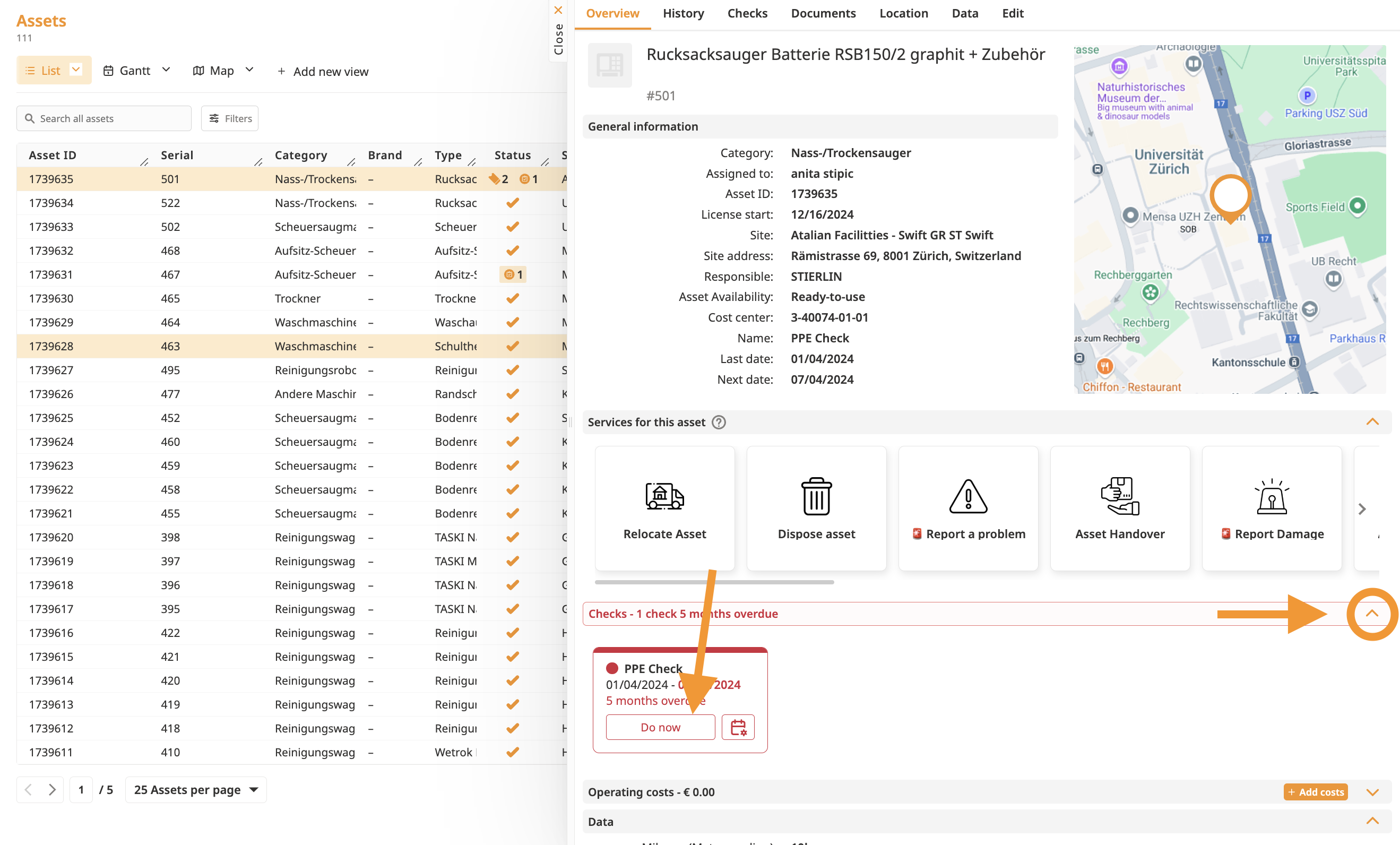
Open the Asset Overview:
Access the asset overview and navigate to the “Checks“ section
Start the Check:
Click on "Do Now" below of the scheduled check.
If a checklist has been configured, you will be redirected to the form page.
Complete the Checklist:
Fill out the form with the required information.
Submit the Service:
Click Submit to complete the check.
Once submitted, the check will be marked as performed, and the system will automatically schedule the next check based on the defined interval.
That’s it! Your check is now completed and rescheduled for the future.
Refer to the article below if you want to know more about how to perform a check on mobile.
How to perform a check on Mobile?
Keep on reading to learn more about performing checks via our mobile App

